Mp3 Tag Tools
Mp3 Tag Tools is an open-source utility for editing ID3 metadata and organizing MP3 collections. It is ... program works with ID3v1.1 and ID3v2.x, and can edit tracks individually or in batches. Tag fields can be ...

LAoE is a graphical, layer-based editor for manipulating audio samples. It works with floating-point samples and combines layers, volume masks and variable-intensity selections for controlled edits. Tools include filtering, resampling, reverb, echo, compression, pitch shifting, time stretching, spectrogram editing with brushes and rectangles, and sample-curve drawing with freehand and spline methods. It is free and open source under the GPL.
| Author: | Olivier Gaeumann |
| License: | Open Source |
| Price: | FREE |
| Released: | Jan 27, 2011 |
| File size: | 1.40 MB |
| Downloads: | 486 |
| Keywords: | layer based audio editor, editor, edit, spectrogram editing software, open-source software, audio sample, x64 architecture, audio sample effects, LAoE software, Windows 10 compatibility, Olivier Gaeumann, floating point audio editor, floating-point sample, free audio editor, audio sample editor, graphic editing tool, edit audio sample |
| Author URL: | http://www.oli4.ch/ |
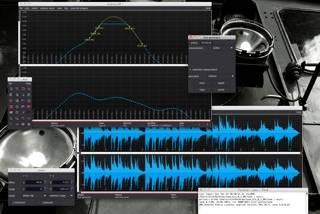



LAoE, or Layer-based Audio Editor, is a graphical editor for working directly with audio samples. Its layered approach is useful for sound editors who want to keep material organized while making detailed changes, rather than treating a sample as a single, fixed waveform. Floating-point samples provide a basis for precise audio processing, while a range of editing and effect tools supports both corrective work and creative sound design.
The editor combines multiple layers with volume masks and selections whose intensity can vary. In practice, these controls let an edit affect different parts of a sample to different degrees, helping shape transitions and targeted adjustments. Sample curves can be drawn by hand with a freehand pen or formed with splines and other interpolation curves. These tools are suited to shaping audio data and refining changes along a waveform.
LAoE also includes plugins for processing and editing sound. Filtering, resampling, reverb, echo, compression, expansion, pitch shifting and time stretching cover common tasks such as changing tone, adding ambience, controlling dynamics or altering a sound's duration and pitch. For visual editing, its spectrogram tools allow sound to be manipulated with brushes and rectangular selections. This provides a way to make localized changes based on the sound's spectral display, alongside the editor's sample-curve and layer-based workflows.
The combination of detailed sample editing and effects makes LAoE suitable for audio experiments, sound design, retouching and processing existing recordings or samples. Layers, masks and variable-intensity selections help organize edits and control their reach, while the graphical tools offer alternatives to applying effects across an entire sample. Its feature set is aimed at users interested in hands-on editing, including work that involves drawing or shaping audio data directly.
LAoE is free and open source under the GPL license. It is a desktop application with Windows support, including Windows 10; the supplied platform information also covers earlier Windows releases. Its focus is audio-sample editing rather than a general-purpose music production suite, with plugins and visual editing tools centered on manipulating sound.