Program Picker
Welcome to the ultimate destination for your Windows 10 software needs. Here, we present to you "Program ... Design Ltd. This software is a game-changer for Windows 10 users, offering an advanced and intuitive way to ...

Launchy is a free, open-source keystroke launcher that finds and opens programs without requiring users to browse the Start menu or desktop. It indexes Start menu applications and can also locate documents, project files, folders and bookmarks. Type part of an item's name into its search box, then launch the matching result from the keyboard.
| Author: | Sourceforge |
| License: | Open Source |
| Price: | FREE |
| Released: | Jan 16, 2014 |
| File size: | 4.50 MB |
| Downloads: | 369 |
| Keywords: | file launcher, x64 software, keystroke launch, launch, program launcher, launcher, manager, Sourceforge, application launcher, keystroke launcher, launch application, Launchy, start menu alternative, open source launcher, Windows 10, open-source, application search |
| Author URL: | https://sourceforge.net/ |

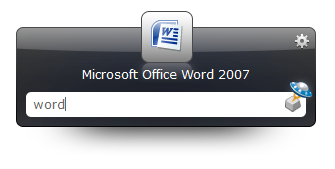



Launchy is an open-source keystroke launcher for people who prefer keyboard commands to searching through the Start menu, desktop icons or file manager. It builds an index of programs and other items, then brings up a compact search box so users can find and open a match by typing a few letters. This approach is useful for frequently used applications as well as files and folders that are otherwise buried in a directory structure.
After Launchy has indexed the Start menu, users can type part of an application's name and select the matching result. The same search workflow can open documents, project files, folders and bookmarks, making the utility more than an application shortcut list. Rather than navigating through nested menus or browsing to a known location, the user enters a search term and starts the selected item from the keyboard.
Launchy's index provides the basis for quick results: it scans supported locations for items and makes them available from its launcher. Users can refresh or update the index when new programs or files should appear. Search terms do not need to reproduce a full filename, so partial names can help locate items when their exact titles are not immediately remembered. The small launcher window keeps the interaction focused on finding and opening an item.
The program suits users who regularly switch among applications, open the same project materials, or prefer keyboard-driven desktop navigation. It can help reduce repetitive menu browsing at work or at home, particularly when a computer has many shortcuts and documents. Launchy is a standalone utility rather than a replacement file manager: it opens indexed items, while file organization and editing remain in the applications associated with them.
Launchy is free and open source. Its core use is searching the indexed programs and files and launching a selection with a few keystrokes. The provided platform information names earlier Windows releases; current Windows 10 and Windows 11 compatibility is not established here. Index coverage depends on the locations Launchy scans, so items outside those locations may need to be added or otherwise made available to its index.