Image Analyzer
Image Analyzer is a freeware image editor and analysis tool for users who need more ... basic cropping and color adjustments. It combines familiar photo-editing tasks with technical image-processing functions, making it useful ...

Nikon NX Studio combines photo browsing and editing in a desktop application for Nikon photographers. It works with RAW files as well as JPEG and PNG images, offering brightness and color controls, levels and curves, cropping, and perspective straightening. LCH Adjustment refines lightness, chroma and hue, while Color Control Points target local areas. RAW tools include Picture Control, White Balance, Exposure Compensation and Active D-Lighting. Split previews help compare images or adjustments.
| Author: | Nikon Corporation |
| License: | Freeware |
| Price: | FREE |
| Released: | Oct 14, 2026 |
| File size: | 251.00 MB |
| Downloads: | 347 |
| Keywords: | user-friendly interface, raw image processing, RAW Editor, digital photography, imaging software, advanced features, image management, Image Editor, download Nikon NX Studio, RAW processing, RAW, raw photo editor, photo, Nikon NX Studio free download, photo editing, photography, Nikon Corporation, Nikon NX Studio, nikon image editing, photo comparison software, image, photo color adjustment, Photo Editor, Nikon software, nikon photo editor |
| Author URL: | https://www.nikon.com/ |

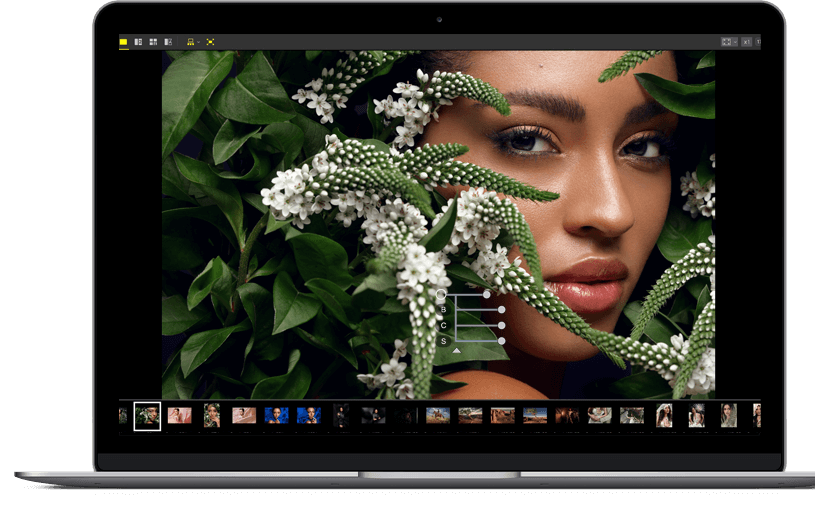


Nikon NX Studio is a desktop photo-management and editing program for photographers working with Nikon images and other supported picture files. It handles JPEG and PNG photos as well as RAW files, with tools for reviewing, comparing and adjusting images in one workspace. Its editing controls are especially useful for photographers who want detailed control over RAW development without relying on a subscription-based editor.
The editor provides adjustments for brightness and color, along with levels and curves for refining tonal range and contrast. Cropping and straightening controls help correct framing and perspective. LCH Adjustment offers more focused control over lightness, chroma and hue, making it possible to refine particular color ranges rather than changing the whole image uniformly. Color Control Points target selected areas of a photograph, so local corrections can be made to draw attention to a subject or balance a distracting region.
For RAW files, NX Studio includes controls such as Picture Control, White Balance, Exposure Compensation and Active D-Lighting. These tools help adjust the look of an image during development, including its color temperature and exposure. RAW processing preserves more editing flexibility than working from a finished JPEG, which is useful when correcting a difficult exposure or fine-tuning color. The program also edits JPEG and PNG files, allowing finished images and camera originals to be handled in the same application.
A customizable preview can display images side by side or in layouts split into two or four sections. This makes it easier to compare alternate frames or check how an adjustment affects several photos without repeatedly switching views. The combination of comparison and editing tools supports common workflows such as selecting the strongest shot from a series, applying tonal corrections and preparing images for sharing or further work.
NX Studio is freeware from Nikon and is intended for Windows 10 64-bit and Windows 11. It is suited to Nikon camera owners who want a dedicated desktop environment for viewing and refining photographs, particularly RAW images, while its standard adjustments also serve everyday JPEG and PNG editing. The program does not require a paid license to use.