OfflineRegistryView for Windows 10 - Full description
OfflineRegistryView is a portable Windows utility for inspecting registry files from a Windows installation that is not currently running. It is aimed at administrators, technicians and other users who need to examine a system's configuration without booting into that installation. The files can come from a separate drive or another accessible storage location, making the tool useful when a PC cannot start or when registry data needs to be checked from a working computer.
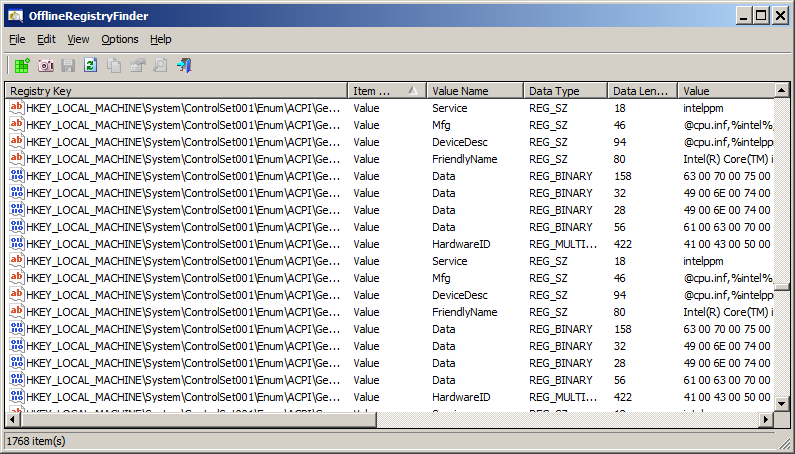
The utility reads offline registry hives and presents their keys and values for examination. Users can browse the available registry data, follow key paths and inspect stored entries without opening the live registry of the computer running the program. This separation helps keep the analysis focused on the target installation rather than the current system. It is a viewer for investigation and reference, rather than a general-purpose registry editor for changing Windows settings.
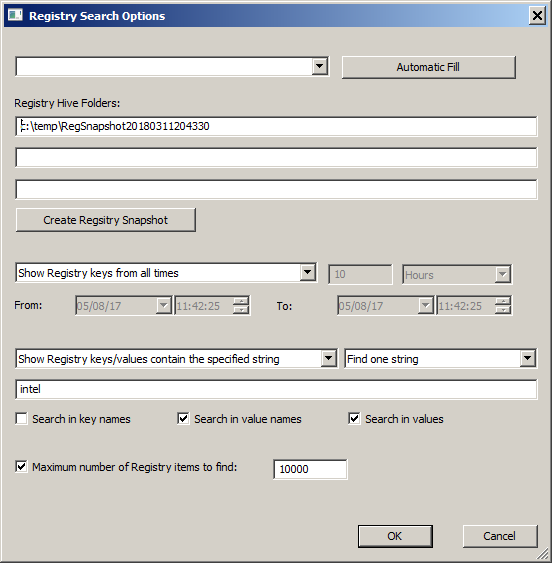
Search helps locate particular keys or values in registry data that may be too extensive to explore manually. Once relevant entries are found, the program can export registry information for further review or documentation. This can be useful when comparing details, keeping a record of findings or passing results to another technician. The workflow suits focused checks as well as preliminary analysis of a system before repair.
Common uses include troubleshooting a Windows installation that will not boot, reviewing configuration from a removed or attached drive, and examining registry information during system recovery or forensic work. Because the program runs without installation, it can be kept on portable storage and used on different machines where Windows is available. Its small footprint also makes it practical as part of a technician's collection of diagnostic utilities.
OfflineRegistryView is freeware from Nir Sofer and supports Windows systems from XP through Windows 11, including 32-bit and 64-bit editions where applicable. It is a specialist tool: interpreting registry data still requires familiarity with Windows configuration, and useful access depends on the offline hive files being available to the computer. For users who need to inspect rather than edit another Windows installation's registry, it provides a direct way to browse, search and export that data.