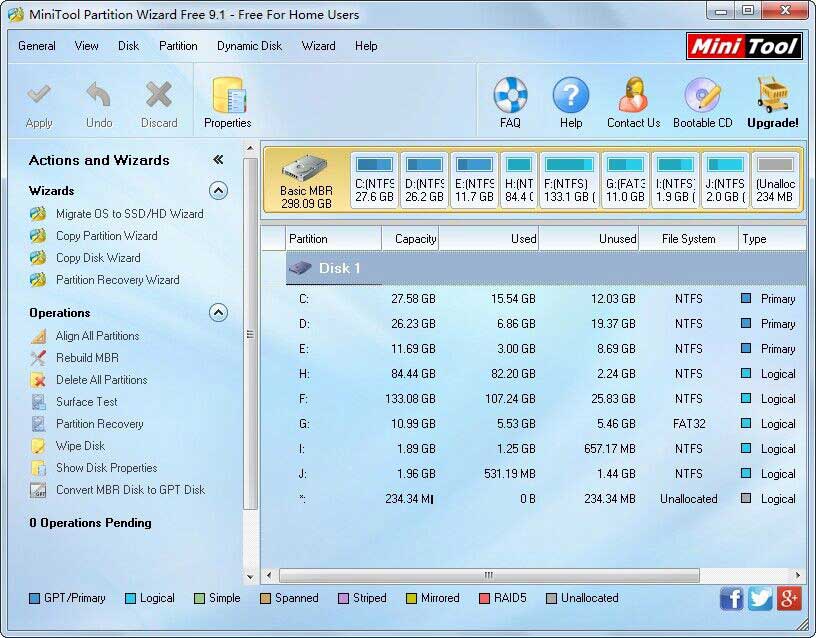
Partition Wizard Home Edition for Windows 10 - Full description
Partition Wizard Home Edition is a freeware disk and partition manager for home users who need to organize storage without relying only on Windows' built-in tools. It displays the layout of hard disks and partitions and provides operations for changing their size, format, position in the disk layout, and other properties. Its visual disk map helps users identify the partition they intend to work with before choosing an operation.
The program can create, delete, format, resize, extend, copy, hide, and explore partitions. Resizing or extending a partition can help make more room available on a system volume or redistribute unused disk space. Formatting prepares a partition for use, while the FAT-to-NTFS conversion option changes a supported partition's file system. The partition explorer provides access to files on FAT and NTFS volumes, and drive-letter and active-partition controls allow users to adjust selected partition settings.
Copy tools are available for moving a partition or an entire disk to another drive, which can be useful when transferring data or replacing a disk. The disk map provides a visual overview of disk and partition configuration, and users can preview changes before applying them. Additional options include partition recovery, conversion, and support for RAID storage; the program also supports disks and partitions larger than 2 TB.
Home users can use Partition Wizard to prepare a new disk, reorganize existing volumes, or make space for a system partition. Copying a disk can help transfer its contents without reinstalling Windows, while hiding a partition or changing its active status offers further ways to manage disk properties. Because partition changes affect how data is stored, users should check the selected disk and preview the planned operation before applying it.
Partition Wizard Home Edition is freeware intended for personal, home use; business use requires a business edition. The supplied platform information includes Windows 7, 8, 10, and 11, in both 32-bit and 64-bit editions where applicable. RAID support is included, and the interface is organized around selecting a disk or partition and then choosing the operation to perform.