PassMark Sleeper for Windows 10 - Full description
PassMark Sleeper is a small Windows utility for checking whether a PC can enter and recover from sleep and hibernation. It is intended for system testing and troubleshooting, particularly when verifying power-state behavior during longer hardware tests. Sleeper can also be run on its own or called by third-party applications, so its use is not limited to PassMark BurnInTest.
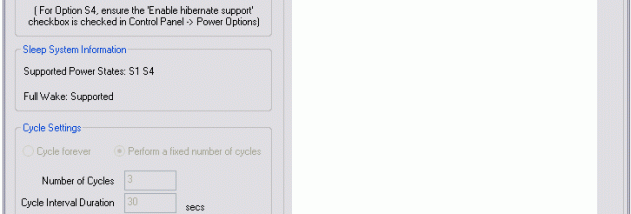
The utility can request the S1, S2, or S3 sleep state when the computer supports it, or place the system into S4 hibernation. Since available states depend on the PC, Sleeper can display which states the system supports. This helps testers choose relevant states and distinguish a missing power option from a failure to enter a requested state. Sleeper can also be configured to wake the computer after a specified interval, allowing the sleep-and-recovery cycle to be observed without manually restarting the test.
For repeatable checks, Sleeper supports command-line operation and can be launched from BurnInTest scripts between test runs. It can cycle through all sleep states or only those supported by the system, and it can force the computer into a requested state. These options make it useful in automated test routines, where a PC may need to enter a power-saving state and resume before additional tests continue. The same command-line and scripting approach can be used with other applications that can launch external programs.
Sleeper is suited to hardware testers, technicians, and users investigating standby or hibernation reliability. Sleep states reduce power while keeping a session available for wake-up, whereas hibernation saves the operating-system context to disk and uses very little power. Testing both entry and recovery can help reveal whether a machine handles its configured power states consistently. Results depend on the states supported by the computer and its hardware configuration.
PassMark Sleeper is freeware for personal use; business use requires a company license. It is a compact utility listed for Windows 7 and Windows 8, including 64-bit editions, and Windows 10, including 64-bit editions. Its focused controls are designed for power-state testing rather than general power-plan management.