PhraseExpress Portable
PhraseExpress Portable is a text-expansion and writing utility for ... a particular context without rewriting it from scratch. PhraseExpress also supports rules for phrases and sentences, while ...

PhraseExpress automates repeated typing by storing reusable text snippets in an organized phrase library. Entries can be inserted with keyboard shortcuts, typed abbreviations, a floating menu or from the application. It also offers text completion and autocorrection for frequently used words and phrases. Microsoft Office users can import and export Excel and CSV data, including rows and columns.
| Author: | Bartels Media |
| License: | Trialware |
| Price: | $99.95 |
| Released: | Oct 10, 2026 |
| File size: | 56.40 MB |
| Downloads: | 422 |
| Keywords: | autocorrect software, Windows 10 text expander, text completion, paste clipboard, phrase, Bartels Media GmbH software, phrase shortcuts, corrector, manager, organize, productivity tool analysis, text snippet manager, autocorrect text, autocorrect software evaluation, typo, text expander, typing automation, organize clipboard, hotkey program critique, clipboard, PhraseExpress review |
| Author URL: | https://www.phraseexpress.com/ |


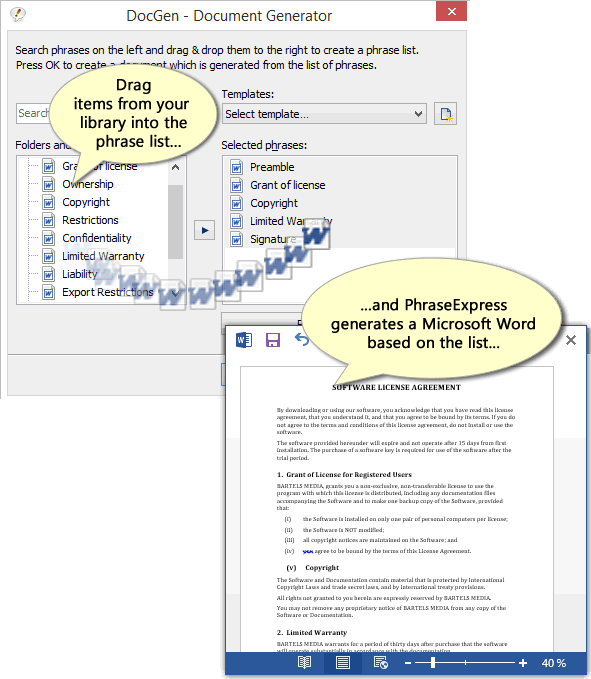


PhraseExpress is a text expansion and typing automation tool for people who regularly reuse wording in emails, documents, forms, reports or presentations. It stores frequently used text as phrases and inserts them into the active application, reducing repeated typing and helping keep standard wording consistent. Its phrase library can be organized into nested folders, with descriptions that make entries easier to identify as the collection grows.
Phrases can be inserted in several ways, depending on the task and personal workflow. A keyboard shortcut calls up a saved entry directly, while an abbreviation can expand into a longer phrase as it is typed. A floating menu offers another way to browse and select text, and phrases can also be chosen from within PhraseExpress itself. For similar abbreviations that could refer to more than one entry, a selection menu helps pick the intended phrase. These options make it possible to use concise codes for routine text or browse the library when the exact wording is not easy to remember.
PhraseExpress also provides text completion and autocorrection features. It can suggest frequently used words or longer phrases while typing, and can correct common typing errors. Reusing saved responses, signatures, addresses, standard instructions or other recurring passages can make routine correspondence and documentation quicker. The phrase organization system is useful for separating material by subject or purpose, so personal wording, work templates and school content can be maintained in distinct groups rather than kept as an undifferentiated collection.
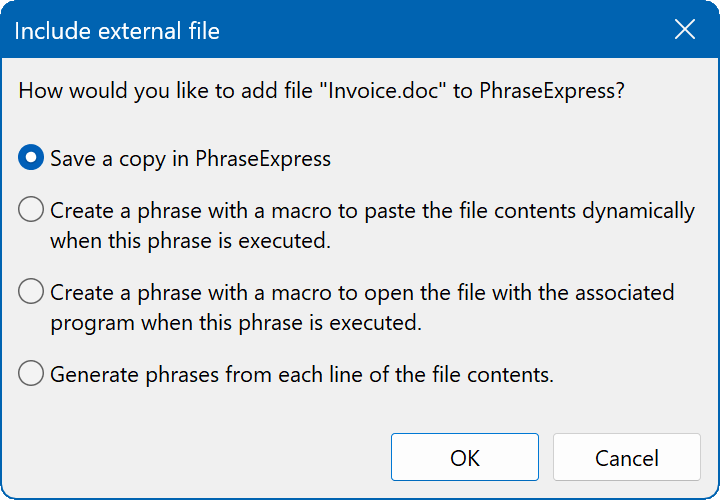
The program can work with common document and image formats, including DOCX, XLSX, RTF, PNG and JPG, according to the available format information. With Microsoft Office installed, Excel and CSV data can be imported and exported, including rows and columns. This supports moving structured phrase material between applications and maintaining collections in spreadsheets. In daily use, saved text can be adapted to suit different documents, while hotkeys, abbreviations and menu selection provide alternatives for different kinds of entry.
PhraseExpress is trialware for Windows 10 and Windows 11, with support for both 32-bit and 64-bit Windows 10 systems. Its interface and phrase-management features suit both occasional users building a small collection of reusable answers and people maintaining larger libraries for regular work. The program is available in English and German.