qBittorrent for Windows 10 - Full description
qBittorrent is an open-source BitTorrent client for managing peer-to-peer downloads. Its straightforward interface suits people who want a clear way to add and monitor torrents, while its configurable tools also serve users who need more control over connections, download queues and remote access.
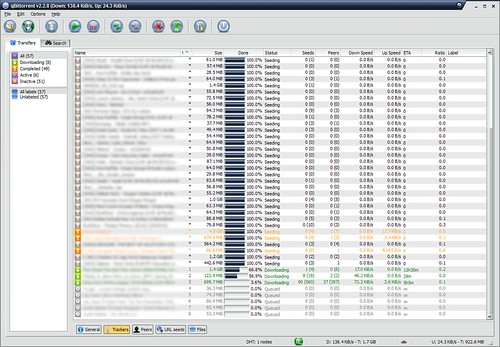
The client can search for torrents from within its interface, with category-specific searches to narrow results. When a torrent is added, qBittorrent displays its progress and transfer activity alongside the information needed to manage it. It supports both torrent files and magnet links, so downloads can be started from either type of source. BitTorrent features including DHT, Peer Exchange and Local Peer Discovery help the client find peers through different discovery methods.
For more tailored downloading, RSS support can monitor feeds, and advanced filters can select which items are downloaded. Proxy support, IP filtering and connection encryption provide options for configuring network activity; they do not guarantee anonymity or make every download safe. A web interface allows the client to be controlled remotely, which is useful when downloads run on a computer that is not always nearby. A built-in media player can play supported media within the application.
These features make qBittorrent useful for organizing large or ongoing transfers, automating downloads from RSS feeds, and controlling a torrent client remotely. Its search and category options can help locate content without switching applications, while the main transfer view keeps active and completed tasks together. Users can choose which features fit their workflow rather than relying on a separate utility for every task.
qBittorrent is free and open-source software developed by Christophe Dumez, with contributions from its community. It is available for Windows 10 and Windows 11, as well as older Windows releases, and also has versions for macOS and Linux. Its range of basic and advanced controls makes it suitable for both occasional downloads and more managed torrent workflows.