SetACL Studio
Welcome to the download page for SetACL Studio, a powerful Windows 10 software developed by the renowned Helge Klein. SetACL Studio empowers users with an array of advanced ...

SetACL is a command-line utility for inspecting and managing Windows permissions. It can list, edit, back up, and restore access control lists, work with access and auditing entries, and migrate permissions between users or domains. Supported objects include files, folders, registry keys, printers, services, and network shares. It also works with local or remote systems and handles paths longer than 260 characters.
| Author: | Helge Klein |
| License: | Freeware |
| Price: | FREE |
| Released: | Aug 30, 2021 |
| File size: | 532 kB |
| Downloads: | 404 |
| Keywords: | system administration, Helge Klein, ACLs manager, restore windows permissions, permission management, Windows 10, SetACL, restore permissions, windows acl manager, manage file permissions, restore, manage ACLs, backup access control lists, command line permissions tool, x64 software, migrate user permissions, manager, manage |
| Author URL: | https://helgeklein.com/ |
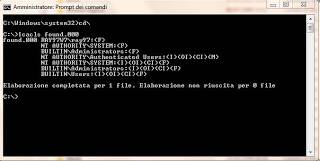

SetACL is a command-line utility for managing Windows access control lists (ACLs). It is intended for system administrators and technical users who need to inspect or change permissions from a command prompt, or automate permission work through scripts and other programs. Rather than relying on a graphical interface, it applies operations to specified Windows objects and can work with local or remote systems, including those in trusted or untrusted domains and workgroups.
The utility can list permissions, edit access entries, and manage auditing entries. Access permissions are stored in discretionary access control lists (DACLs), while system access control lists (SACLs) hold auditing rules. SetACL can work with either type or both, allowing an administrator to review who has access to an object, adjust that access, or set which activity should be audited. These operations apply to files and directories, registry keys, printers, services, and network shares, so permission tasks can be handled across several common Windows resource types with the same tool.
SetACL also supports backing up and restoring permissions. A backup can preserve ACL information before a change, providing a way to restore the saved permissions if a maintenance task has an unwanted result. Permission migration can transfer ACL assignments between users or domains, which is useful when accounts or directory environments change. The program handles paths longer than 260 characters, helping with permission operations on deeply nested files and directories that may exceed the traditional Windows path limit.
Administrators can use SetACL for one-off permission checks and changes, as well as repeatable tasks in scripts. Its remote-system support extends those workflows beyond the machine where a command is run. The program can also use privileges available to an administrator to access files or directories even when the administrator is not their owner and does not otherwise have permission, a capability useful for backup-related operations. Care is warranted when changing or restoring ACLs, since permissions determine which users and services can access system resources.
SetACL is freeware and is designed for Windows command-line use. It supports a broad range of Windows releases, including Windows 10 and Windows 11, as well as earlier systems such as Windows XP, Vista, 7, and 8. Its command-prompt and scripting focus suits users comfortable working with administrative tools; it is not presented as a graphical permissions editor.