Smartclip for Windows 10 - Full description
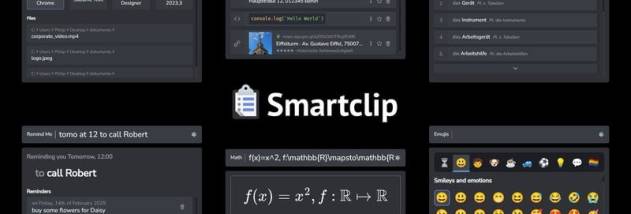
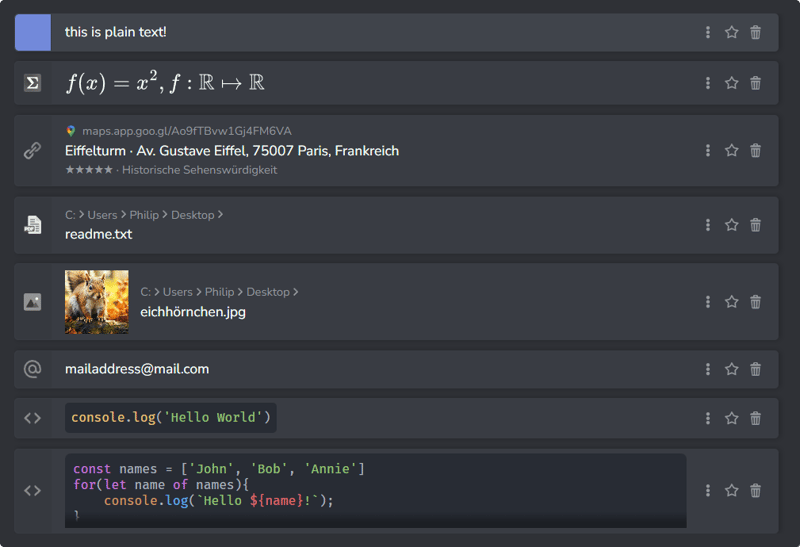
Smartclip is a Windows clipboard manager and productivity tool for people who regularly copy and reuse information. It keeps more than the most recent clipboard item, letting users save and organize clips such as text and images for later retrieval. Its clipboard history is useful for writers, developers, office workers and others who move information between documents and applications throughout the day.
Saved clips can be categorized and searched, so users can retrieve a particular item without repeating the original copy operation. This helps when working with recurring text, snippets or visual material, or when several pieces of information are needed in succession. Smartclip also supports complex data structures, extending its role beyond a simple list of plain-text entries. A quick search function provides another way to locate stored content.
In addition to clipboard management, Smartclip includes app-launching and quick-search functions. These tools bring application access and searches into the same productivity workflow as saved clips. Its customizable interface lets users adjust the layout and functionality to suit their work habits, while integration with other applications supports using stored content as part of everyday tasks such as drafting documents, preparing presentations and coding.
Smartclip is intended for both individual use and professional workflows where frequently reused information needs to remain accessible. Its categories and search are especially useful for building a personal library of snippets and images, while the launcher can help reduce the need to switch between separate tools. The program also supports cloud synchronization for accessing clips across devices and encryption to protect stored information.
Smartclip is freeware from Philip Müller for Windows 10 and Windows 11, with support for 32-bit and 64-bit Windows 10. It is suited to users seeking a combined clipboard history, content organizer, search tool and app launcher. As with any clipboard manager, users handling sensitive information should consider which items they save and how those items are synchronized.