SpeedFan for Windows 10 - Full description
SpeedFan is a hardware monitoring and fan-control utility for desktop PCs. It reads information from supported motherboard monitoring chips and helps technically experienced users check temperatures, voltages and fan speeds in one place. It can also read hard-drive health data through S.M.A.R.T., report disk temperatures and work with SCSI disks. Because sensor availability depends on a computer's hardware, the readings and controls shown vary from system to system.
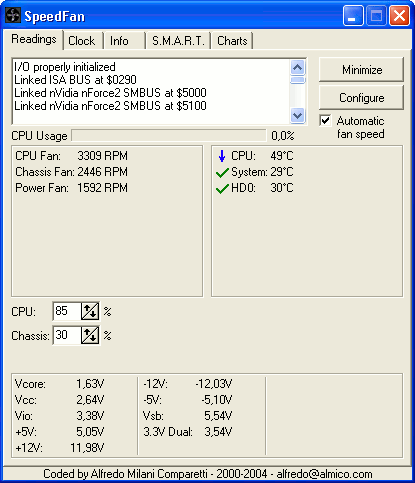
The monitoring view collects measurements from temperature sensors, voltage inputs, fans and supported hardware components. This can help identify rising temperatures, unusual voltage readings or fans that are not behaving as expected. SpeedFan can track multiple readings and drives, making it useful on systems with several sensors rather than only a single CPU temperature display. S.M.A.R.T. data offers a way to review hard-drive health indicators alongside temperature information.
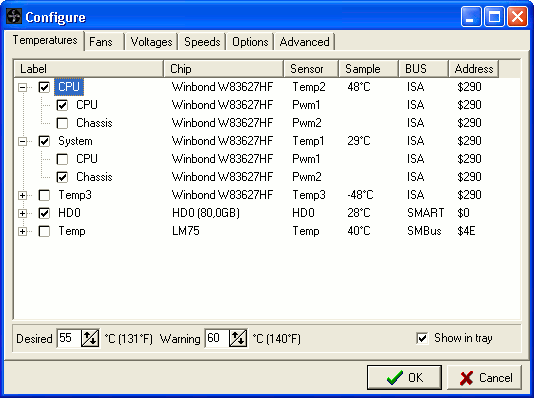
On compatible systems, the program can adjust fan speeds using temperature readings. Users configure which temperatures affect each fan, then set minimum and maximum speed values and observe the computer's response. Fan curves and thresholds need to be chosen with care: a setting that reduces noise may also reduce cooling, while a warning temperature causes the relevant fan to run at full speed. The utility is intended for users who can identify their hardware and verify that a chosen configuration keeps temperatures within safe limits.
SpeedFan is useful for monitoring a PC during everyday work, checking cooling behavior under load, diagnosing noisy fans and balancing acoustics against cooling. It can also change the front-side bus on some hardware, though this is an additional capability rather than its primary purpose. The number of available controls depends on the system's sensor chips and firmware; a detected reading does not necessarily mean that its corresponding fan can be controlled.
SpeedFan is freeware and supports Windows 10, as well as a range of earlier Windows versions. Its hardware-level controls require compatible monitoring chips and supported fan controls, so results differ between PCs. Users should watch the readings and fan behavior before relying on an automated configuration. The program is aimed at power users rather than people looking for a set-and-forget cooling tool.