sPlan for Windows 10 - Full description
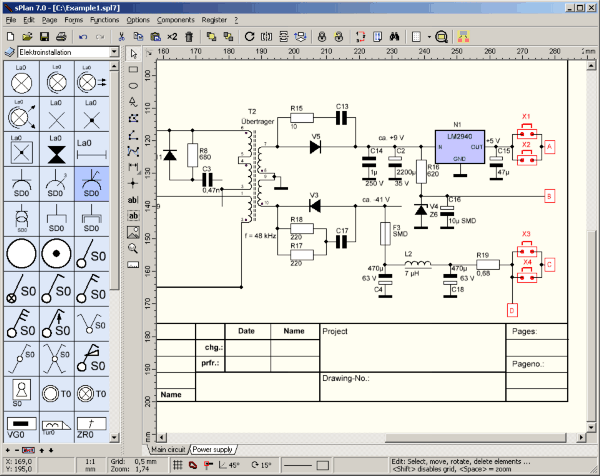
sPlan is a Windows application for drawing and documenting electronic circuit schematics. It suits electronics hobbyists, students, technicians and designers who need to arrange circuit symbols in a clear diagram, whether they are recording an existing circuit or planning a project. Its focus is schematic capture rather than board layout: the work is organized as a visual circuit drawing that can be revised and shared as documentation.
A component library provides symbols for common electronic parts, including resistors, capacitors and transistors. Users place symbols on the drawing and connect them to build a circuit diagram. The drag-and-drop workflow makes it practical to assemble a schematic without drawing every component from scratch. Components can also be customized, allowing a symbol to be adapted or created for a particular design when the standard library does not fit.
Grid snapping and alignment tools help keep symbols and connections orderly. These controls are useful when a diagram grows, since consistent spacing makes paths easier to follow and reduces visual clutter. The resulting schematic can be refined as a project changes, then exported for sharing or printed for reference, presentations and project records. Clear diagrams can also help when explaining a circuit to someone who was not involved in its design.
Typical uses include sketching a circuit before building it, preparing a readable record of an electronic project, and producing diagrams for study or technical documentation. The application is designed to run efficiently without requiring high-end hardware, making it suitable for everyday desktop work as well as more involved schematic drawing. It creates circuit diagrams, not a finished physical circuit or PCB layout.
sPlan is distributed as demo software by ABACOM. It is available for Windows 10 and Windows 11, as well as earlier Windows releases. The Windows 10 edition supports both 32-bit and 64-bit systems. Users should check the demo's terms and capabilities before relying on it for a particular workflow.