SUMo
SUMo, short for Software Update Monitor, checks installed applications for newer software versions. It is ... users who want a central way to review update availability instead of opening each program and checking ...

SUMo Portable is a software update monitor for Windows that scans installed applications and identifies newer versions or available patches. Users can review update status in one place instead of checking programs individually. An ignore list limits monitoring to selected software, and a setting controls whether beta versions are included. SUMo reports updates for the user to review rather than automatically installing them.
| Author: | KC Softwares |
| License: | Freeware |
| Price: | FREE |
| Released: | Aug 18, 2023 |
| File size: | 3.00 MB |
| Downloads: | 444 |
| Keywords: | SUMo Portable, check software versions, checker, x64 architecture, beta update filter, Portable, software update checker, application update monitor, check for update, portable update checker, software updates, KC Softwares, check, Software Update Monitor, update, update checker, installed software scanner, Windows 10 compatible, portable application |
| Author URL: | https://kcsoftwares.com/ |

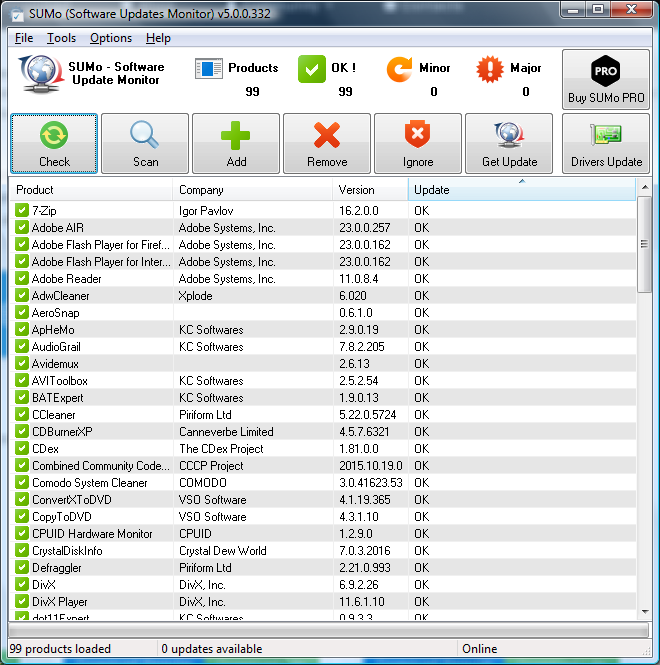


SUMo Portable, short for Software Update Monitor, checks installed applications for newer versions and available patches. It is intended for Windows users who want a central way to review software updates rather than relying on each program's built-in notification or update feature. Its portable format is suited to use without a conventional installation, making it useful for a lightweight maintenance routine or when working from removable storage.
The program automatically detects installed software and compares the detected applications with newer releases. Results help identify which programs may need attention before they are opened. Instead of checking each application individually, users can run a scan and review update status in one place. SUMo reports available updates; it acts as an update monitor rather than silently changing installed programs.
Update tracking can be tailored with an ignore list, so SUMo focuses on the applications a user chooses to monitor. A setting also lets users filter or authorize beta versions, which can help distinguish prerelease software from regular updates. The scan-and-review workflow requires little intervention: run the check, inspect the results, then decide which software to update and how to obtain the update. This keeps update decisions under the user's control.
SUMo can be useful for routine checks on a personal computer, for reviewing a collection of installed applications, or for spotting updates to software that does not regularly notify its user. Automatic detection reduces the need to maintain a separate manual inventory, while selective tracking can keep results focused. Internationalization support makes the interface available to users working in different language environments.
The software is freeware and is offered for Windows, including Windows 10 and Windows 11, as well as earlier Windows releases. The Portable edition is intended to run without the standard installation process. SUMo checks software versions but does not replace application-specific installers or update mechanisms; users still choose and carry out any updates they want to apply.