Sync Breeze x64 for Windows 10 - Full description
SyncBreeze is a file synchronization utility for users who need to keep folders aligned across disks, directories or networked computers. It supports both one-way and two-way synchronization, so a task can copy changes in a chosen direction or coordinate changes between two locations. The available modes let users choose an approach suited to the relationship between the source and destination rather than treating every synchronization job the same way.
Synchronization commands provide a way to define and reuse individual jobs. Users can set up commands for different folder pairs or storage locations and run the appropriate task when needed. Before files are synchronized, a preview can show the planned changes, giving users an opportunity to review what the operation will do before proceeding. This is useful when working with important folders or when the destination contains files that should be checked before changes are applied.
The program works with local directories and disks as well as networked computers. UNC network path support allows network locations to be addressed using standard Windows network paths, while support for long and Unicode file names helps it handle folders whose names are lengthy or use non-English characters. These capabilities make the utility applicable to a mix of local storage and shared network folders without requiring names to be shortened or rewritten for synchronization.
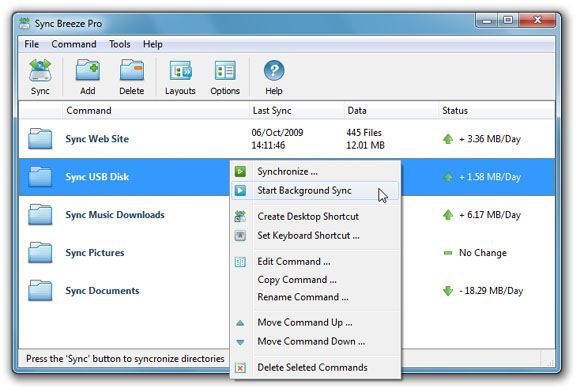
A customizable graphical interface lets users adjust the layout to suit their workflow. Separate synchronization commands can help distinguish recurring tasks, such as copying files to another disk from keeping a network folder synchronized in both directions. The utility is intended for routine file transfer and folder maintenance, including maintaining working copies, coordinating shared files and copying data between storage locations.
SyncBreeze is freeware and is offered as a 64-bit Windows application. Its stated operating system support includes Windows Vista, Windows 7 and Windows 8 in 64-bit editions, along with Windows 10 and Windows 11. Users should select a synchronization mode and review the preview carefully, particularly for two-way jobs where changes may be applied to both locations.