Sync Breeze for Windows 10 - Full description
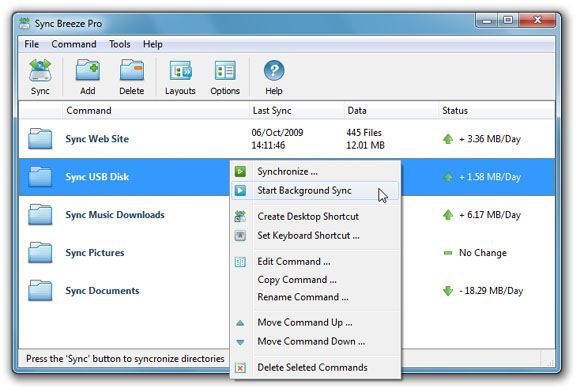
SyncBreeze is a file synchronization utility for users who need to keep folders aligned across disks, directories or networked computers. It supports both one-way and two-way synchronization, making it suitable for copying files from a source to a destination or coordinating files between two locations. Its graphical interface provides access to synchronization modes and lets users review a planned operation before running it.
One-way synchronization moves files in a single direction, which is useful when a working folder needs to be copied to another disk or a network location. Two-way synchronization is intended for keeping both locations in step, such as when files are used from more than one computer. SyncBreeze includes a preview feature so users can inspect the proposed synchronization before it starts, helping them check the operation's scope and destination.
For repeat tasks, user-defined synchronization commands let users save configurations and run them again rather than setting up the same operation each time. Customizable GUI layouts provide a way to arrange the program interface around an individual workflow. Support for long and Unicode file names helps when working with names that exceed older length limits or use characters from different writing systems.
SyncBreeze can work with UNC network paths, so network shares can be used as synchronization locations without relying only on locally attached disks. This makes it useful for routine file copying between a computer and a shared folder, or between locations on a network. Its combination of previews and reusable commands can also help organize recurring transfers between local and network storage.
SyncBreeze is freeware for Windows. It supports Windows XP, Vista, 7, 8, 10 and 11, and is intended for directory and file synchronization rather than full-system imaging. The program is suited to users who want a dedicated graphical tool for one-way or two-way file transfers, including work involving network paths and filenames in multiple languages.