System Explorer
System Explorer is a Windows utility for inspecting and managing ... Task Manager provides, including information about running processes, startup entries, services, drivers, open files and network connections. ...

System Explorer Portable is a freeware Windows utility for examining system activity and managing common system details. It shows processes, modules, startup entries, services, drivers, connections, open files and more. Users can investigate suspicious files with VirusTotal or Jotti, view resource graphs, compare system snapshots, track process activity and create a system report. The portable edition runs without installation.
| Author: | Mister Group |
| License: | Freeware |
| Price: | FREE |
| Released: | Apr 22, 2016 |
| File size: | 1.90 MB |
| Downloads: | 508 |
| Keywords: | system monitoring tool, Windows 10 software, x64 compatible, explorer, explore, system startup, check suspicious files, windows system report, System Explorer Portable, startup manager, portable application, startup, system explorer, Mister Group, uninstall application, system process manager, process activity history |
| Author URL: | http://systemexplorer.net/ |


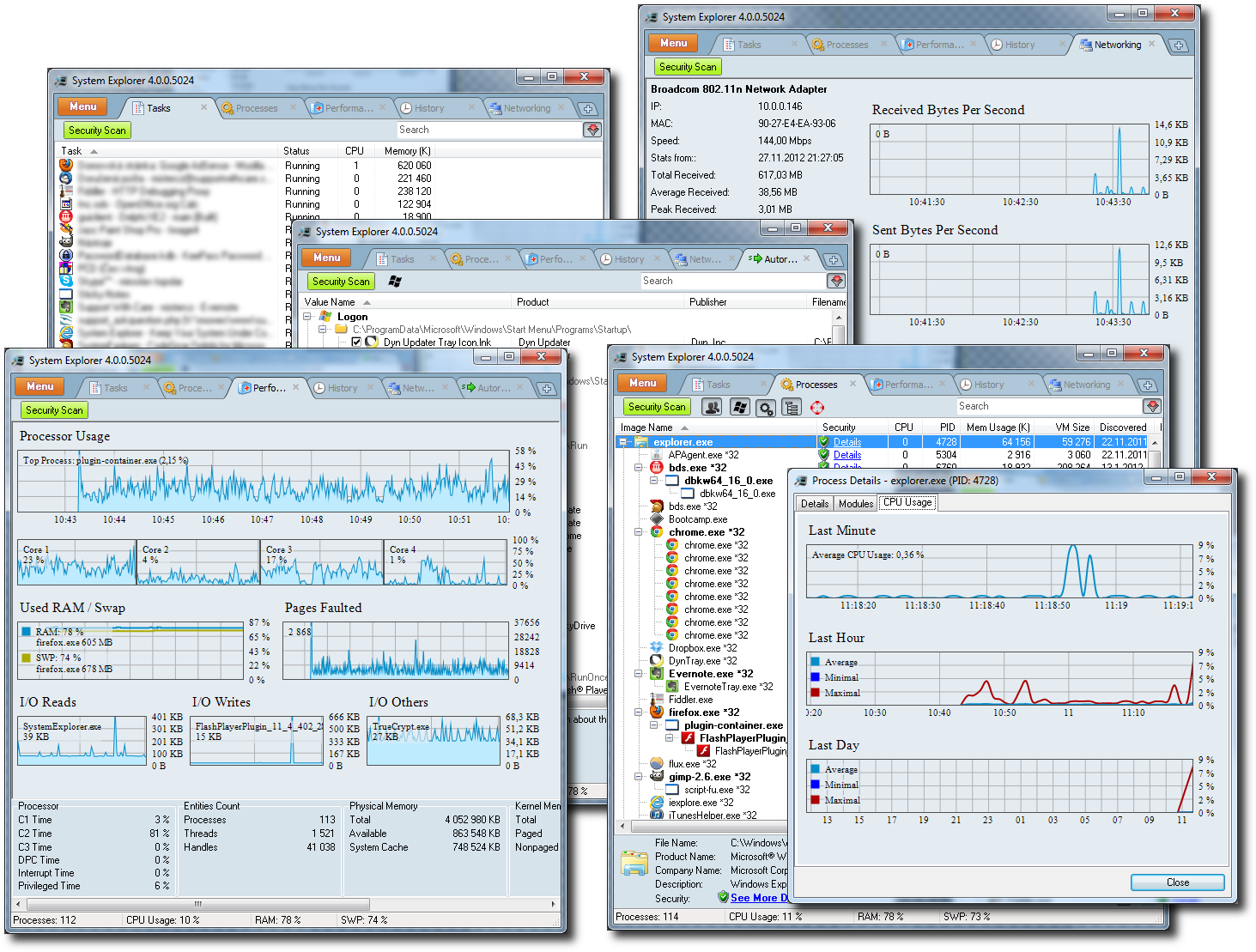

System Explorer Portable is a Windows utility for inspecting and managing system activity. It is useful for people troubleshooting performance, checking unfamiliar processes, reviewing startup behavior, or gathering information about a computer. Its portable edition can be run without installing the program, making it suitable for occasional diagnostics and use from removable storage.
The program organizes details about running tasks and processes, their modules, open files, network connections, services, drivers, and windows. Startup entries and Internet Explorer add-ons are available alongside an uninstaller view, helping users investigate what launches with Windows or review installed software. Selecting a process or file can lead to online database searches, while suspicious files can be checked through VirusTotal or Jotti. These checks provide additional information for investigation; they do not replace a full security product.
For ongoing monitoring, System Explorer records process activity in an action history and displays graphs of system resource usage over time. System snapshots make it easier to compare system state and spot changes, while a system report collects key computer information into a rich-text document. A New Task dialog includes search and autocomplete features, which can help locate and launch an item. Plugins extend the program, and its interface supports multiple languages.
These tools support everyday diagnostics such as identifying a resource-heavy process, checking an unfamiliar executable, examining startup items, or documenting system configuration for troubleshooting. The range of views brings information normally spread across several Windows management screens into one utility, though users should take care when stopping processes or changing system entries because doing so can affect Windows or installed applications.
System Explorer Portable is freeware. It is intended for Windows systems, with the supplied compatibility information covering Windows XP through Windows 10, including 64-bit editions where indicated. The program is compact and is also available as an installer edition. Online file checks and database searches require an internet connection; local monitoring and inspection features can be used without those services.