Hard Disk Sentinel
Hard Disk Sentinel monitors the condition and performance of hard ... changes or warning signs appear, while the gathered diagnostic information can guide decisions about further checks or ...

Western Digital Data Lifeguard Diagnostics identifies and tests supported Western Digital FireWire, EIDE and USB drives. It displays model and serial numbers, offers a quick check and a more thorough Extended Test for detecting drive problems, and includes repair and Write Zeros options. Full Erase overwrites the entire drive, so it is intended for deliberate data removal.
| Author: | Western Digital |
| License: | Freeware |
| Price: | FREE |
| Released: | Apr 7, 2020 |
| File size: | 614 kB |
| Downloads: | 340 |
| Keywords: | hard disk diagnostic, hard disk examiner, software review, examine, drive write zeros, data protection, diagnostic, hard disk, Data Lifeguard Diagnostics, hard drive testing, check hard disk health, system diagnostics, hard drive diagnostics, bad sector test, western digital drive test, Western Digital, hard disk identification, hard disk tool |
| Author URL: | https://www.westerndigital.com/ |
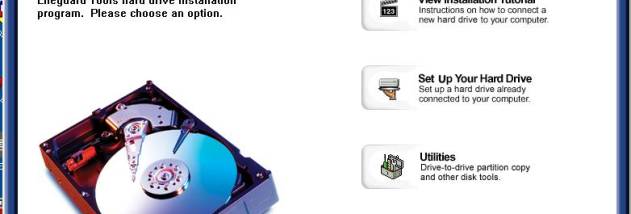

Western Digital Data Lifeguard Diagnostics is a drive-identification and testing utility for checking supported Western Digital hard drives. It is intended for users who need to inspect a drive's identity, run diagnostic tests or address detected bad sectors. The utility can work with Western Digital FireWire, EIDE and USB drives, and displays identifying details such as the model and serial numbers.
The Quick Test checks Data Lifeguard information stored on the drive and is designed to finish in a short time. It can provide an initial indication of drive condition, while the Extended Test performs a more thorough examination and is recommended when greater confidence is needed. Quick Test availability may be limited for some older IDE, SCSI and external drives.
The Extended Test checks the drive for problems such as bad sectors. Testing typically takes from around half an hour to an hour for many computers, but larger drives and slower systems can take longer. The test itself is non-destructive; repair is a separate option that can be selected when bad sectors are found. Users should consider the importance of any stored data before choosing repair operations.
A Write Zeros function is also available for erasing drive contents. Quick Erase overwrites the first and last million sectors, while Full Erase writes zeros across the entire drive and can take hours. These operations remove operating systems and file systems, so they are intended for deliberate drive erasure rather than routine diagnosis. The utility is freeware and supports Windows versions through Windows 10, including listed 64-bit editions of some releases.