3D Crafter for Windows 10 - Full description
Paint 3D is a Windows graphics editor for people who want to make illustrations, edit images or experiment with simple 3D artwork. Its accessible layout brings familiar drawing tools together with object-creation features, making it suitable for casual creative projects as well as classroom demonstrations and basic visual work. Users can begin with a blank canvas, draw in two dimensions or build a composition from 3D elements.
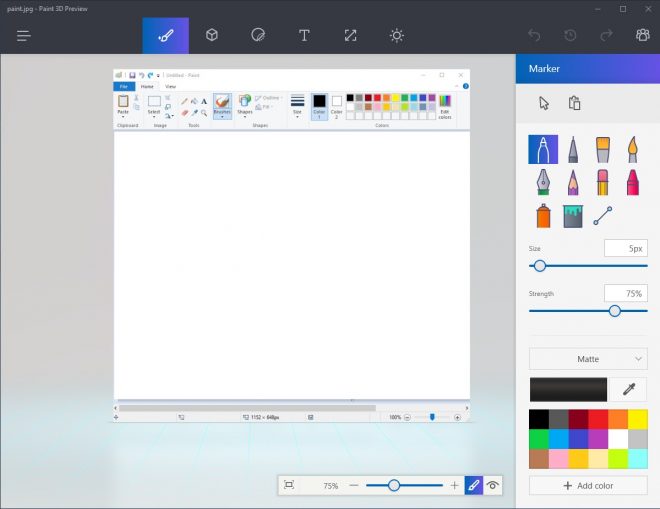
For conventional artwork, the editor provides brushes, shapes and text. These tools can be combined on a canvas to create diagrams, labels, illustrations or image-based compositions. For three-dimensional work, users can add ready-made objects, including geometric forms, animals and everyday items, then adjust and paint them. The 3D doodle tool turns freehand strokes into 3D shapes, offering a direct way to sketch objects without relying entirely on conventional modeling workflows.
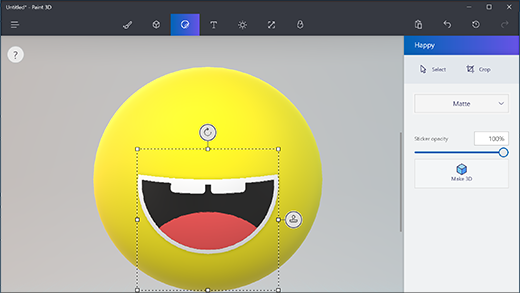
Layers help organize projects that contain multiple elements, so parts of a composition can be arranged and edited as separate components. Materials such as matte, glossy and metallic finishes can change how a 3D object looks, while lighting and shadow options add depth to a scene. The combination of drawing, text, shapes and 3D objects supports projects that move between flat artwork and simple modeled compositions.
The editor can be used for personal illustrations, introductory art and geometry activities, visual explanations, and rough product or design concepts. Pre-made models provide starting points for people who do not want to build every object from scratch, while customization tools allow those objects to be adapted to a particular scene. Finished work can be saved or shared through Windows and OneDrive integration, and exported as 2D images or 3D models for use elsewhere.
Paint 3D is freeware for Windows 10 and Windows 11, with support for 32-bit and 64-bit Windows 10 systems. Its mix of familiar drawing controls and approachable 3D features makes it most useful for lightweight creative tasks and learning, rather than as a replacement for specialized professional 3D software.