Zabbix
... need detailed monitoring across many devices. The software is open source and available at no charge. A typical deployment uses a Zabbix server, a web frontend ...

chrlauncher is a portable Windows app that updates Chromium to the latest version or downloads it if none is present. It supports Windows 11 and 64-bit Windows 10, 8, and 7. On first run it detects the latest Chromium online and downloads it if needed, using the 64-bit build on 64-bit systems. Each run scans before launching Chromium to check for updates. It needs no installation, makes no registry changes, and has only an Exit button.
| Author: | Henry++ |
| License: | Open Source |
| Price: | FREE |
| Released: | Oct 8, 2026 |
| File size: | 358 kB |
| Downloads: | 7 |
| Keywords: | chrlauncher, download chrlauncher, chrlauncher free download, Chromium updater, update Chromium, download Chromium, Chromium, updater, update, download, portable Windows application, open source, Network & Internet::Other, Chromium downloader |
| Author URL: | https://www.henrypp.org/ |

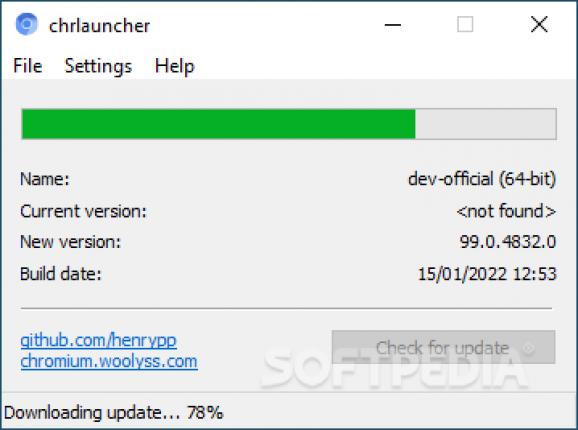
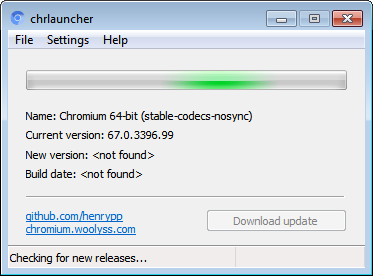
chrlauncher is a portable Windows application developed by Henry++ that updates the Chromium web browser to its latest version or downloads it if no version is present. It supports Windows 11, Windows 10 64-bit, Windows 8 64-bit, and Windows 7 64-bit. Version 2.7 is open source and categorized as Network & Internet::Other.
Because it is portable, chrlauncher does not require installation. It does not modify Windows registry entries and does not create additional files or folders. The interface is minimal and includes only an Exit button to quit the application. No help documentation is provided.
On first run, chrlauncher automatically detects the latest Chromium version online and downloads it if necessary. If no Chromium version is detected on the machine, it downloads the latest release. On 64-bit systems, it retrieves the corresponding 64-bit version of the browser to prevent compatibility issues.
After updating Chromium, chrlauncher can launch the browser. Each time the tool is run, it performs a quick scan before launching Chromium to check whether the installed version is up to date. The program has no interactive functions beyond this updating and launching behavior.