Cold Turkey Blocker for Windows 10 - Full description
Cold Turkey Blocker is a productivity utility for people who want to reduce time spent on distracting websites and applications. It lets users choose what to block and when, supporting focused work or study sessions without relying only on willpower. Students, professionals and anyone trying to build a more consistent routine can use it to put boundaries around online distractions.
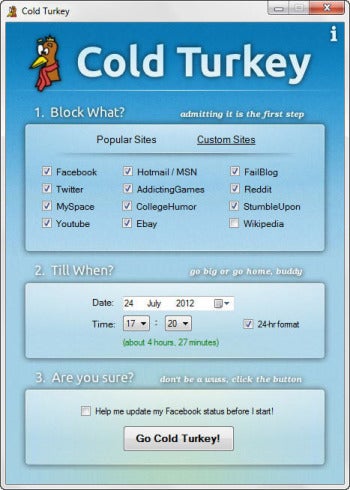
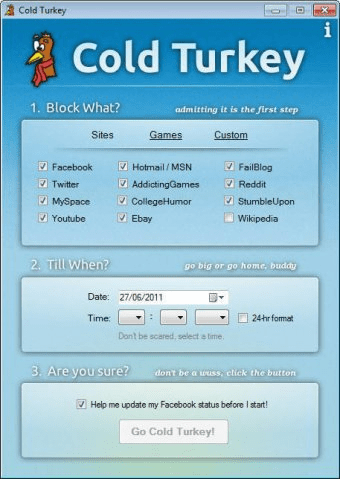
Users create custom block lists containing websites or applications they want to restrict. Lists can be tailored to different tasks, such as keeping social media out of a study session or blocking games during work hours. Scheduling lets users set blocking periods in advance, so restrictions can start at planned times and help establish a repeatable daily routine. These controls make it possible to apply different boundaries to different work or study needs.
For periods that call for a firmer commitment, Frozen Turkey mode locks access to the device for a chosen duration. Once activated, the restriction remains in place until its timer ends, preventing a quick change of plan from interrupting the session. A motivational lock screen can display a reminder or custom message when someone attempts to open blocked content, bringing their attention back to the task they intended to complete.
These features suit several common routines: a student can schedule website restrictions for study hours, an office worker can block distracting apps during a focused task, and someone working from home can set recurring limits around their working day. Custom block lists support changing needs, while scheduled periods reduce the need to set restrictions manually each time. The software is designed around straightforward setup and focused blocking rather than a complicated productivity system.
Cold Turkey Blocker is shareware and is available for Windows 10, Windows 8 and Windows 7, in 32-bit and 64-bit editions. Its core purpose is to restrict access during selected periods, so users should choose block lists and timers with care before beginning a session, particularly when using Frozen Turkey mode. It can serve as a practical aid for managing digital distractions, though the routines and tasks themselves remain up to the user.