CornerFix for Windows 10 - Full description
CornerFix is a free, open-source utility for correcting vignetting in digital photographs, especially color shifts at the corners of images made with wide-angle lenses and digital sensors. It is particularly associated with Leica M8 and M9 DNG files, where infrared-filter interactions can produce cyan corners. Photographers can use it to prepare raw images for further development while retaining the option to work with them in their preferred raw-processing software.
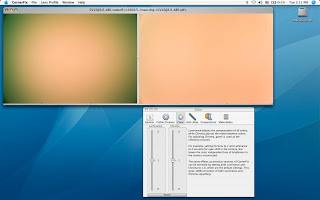
The program uses a devignetting profile to correct raw image data. One workflow starts with a flat-field reference image: CornerFix analyzes the reference and creates a profile that can then be applied to photographs made with the same lens and shooting conditions. Profiles can be prepared for different apertures or lighting situations, helping match the correction to the images being processed. Applying a profile at the raw-data level means the corrected DNG can still be opened in raw developers such as Lightroom or Capture One.
Corrections address both color and brightness changes across the frame. Separate adjustment of luminance and chroma gives photographers control over darkening toward the edges and color casts such as cyan or red corners. CornerFix can also handle more complex uneven color patterns, including the effect known as Italian flag syndrome, as well as ordinary optical vignetting. The profiles are useful with lenses that are not supported by a camera's firmware or are not identified through lens coding, provided the image can be converted to DNG format.
A typical workflow is to capture a flat-field reference for a lens and its intended settings, generate a profile, and use it to correct the related raw images before completing edits in another application. This can help photographers maintain more even color and brightness across a set of wide-angle shots, including architectural or landscape images where edge shading and color changes are noticeable. For Leica M8 and M9 files, CornerFix can decode Leica MakerNotes and optionally update DNG EXIF data with an estimated aperture value.
CornerFix is distributed under the GPL and has a Windows edition. The supplied system information lists Windows XP through Windows 10, including 64-bit editions for several releases; Windows 11 support is not established here. Its raw workflow depends on DNG images, so files in other camera formats need to be converted to DNG before they can be handled. Some portions of the software are copyrighted by Adobe.