Twistpad
Twistpad is a Windows text editor for everyday writing as well as web and software development. It can serve as a more capable ... tools for working on code, markup, and other text files. Its interface and commands can be configured ...

Deepdwn is a Markdown editor and document organizer for writers, developers, and note-takers. It provides a live preview so formatting can be checked while editing, alongside file and folder management for organizing a document collection. Search helps locate files or content, while themes offer ways to adjust the writing environment. Offline editing supports work without an internet connection.
| Author: | billiam |
| License: | Shareware |
| Price: | FREE |
| Released: | Dec 9, 2024 |
| File size: | 90.00 MB |
| Downloads: | 193 |
| Keywords: | download Deepdwn, exploration, markdown writing app, efficient performance, software, markdown notes app, Deepdwn free download, Markdown Organizer, game, Text, user-friendly interface, file management, data recovery, Organizer, Markdown, markdown editor, markdown live preview, Markdown Editor, markdown file organizer, intuitive design, secure backup, adventure, Deepdwn, offline markdown editor, Text Editor, Editor, billiam |
| Author URL: | https://billiam.itch.io/deepdwn |

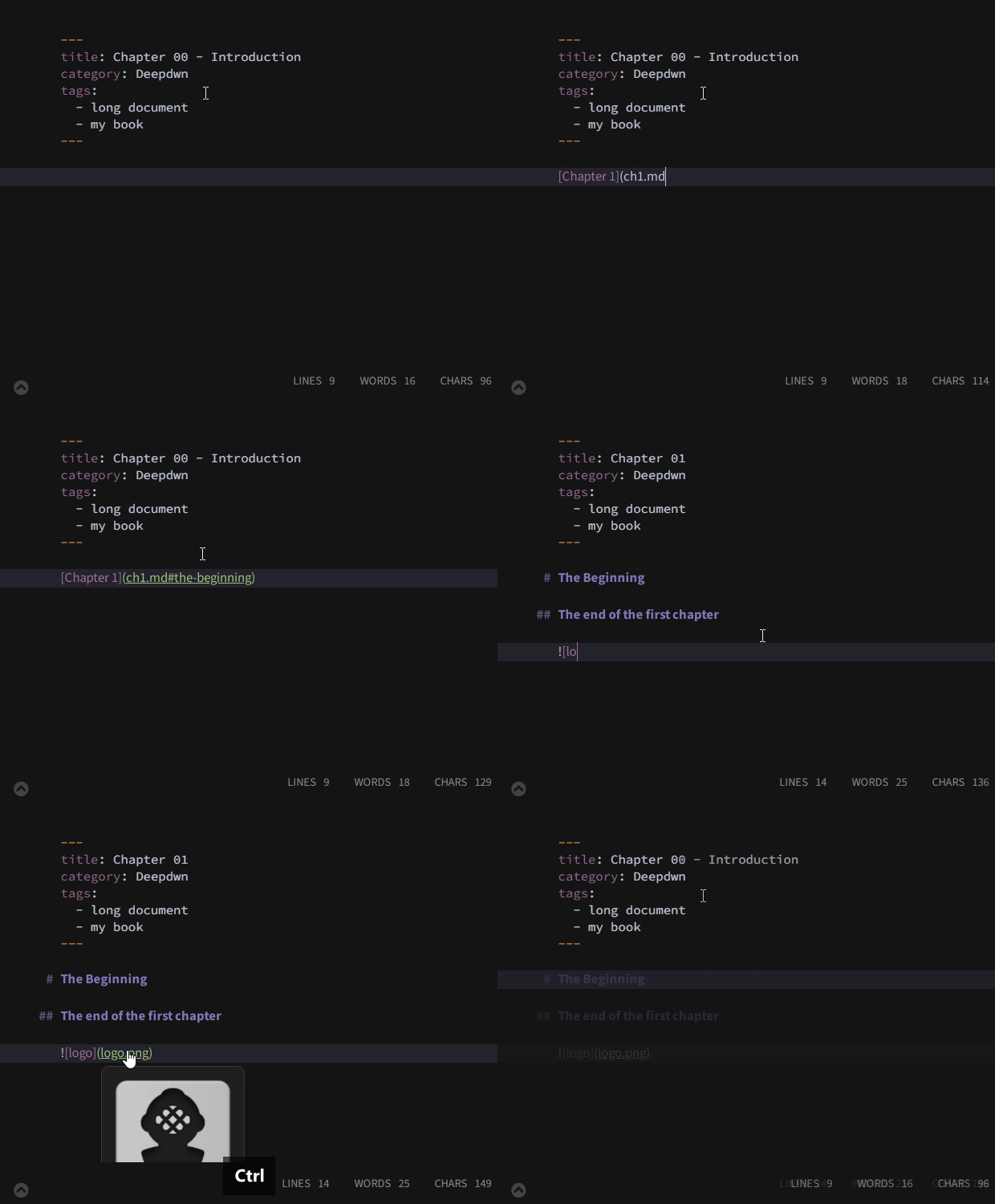


Deepdwn is a Markdown editor and document organizer for writers, developers, and anyone who works with plain-text notes or formatted documents. Its focused interface keeps the writing area central while providing tools to manage a collection of files. Markdown support lets users write with lightweight syntax for headings, emphasis, links, and other common formatting, keeping the source readable as text.
A live preview shows how Markdown formatting will appear while a document is being edited. This makes it easier to check structure and presentation without repeatedly exporting or opening the file elsewhere. Users can work directly with Markdown files and import or export documents in supported formats, helping keep writing accessible beyond the editor. The preview and source can be used together to refine text as it takes shape.
Deepdwn includes file browsing and folder organization for keeping documents arranged in a workspace. Search helps locate a file or relevant content when a collection grows, reducing the need to open items one by one. Themes and customization options let users adjust the writing environment to suit their preferences. Because the editor works offline, documents can be edited without an internet connection; this also suits writing sessions where network access is unavailable or intentionally avoided.
The editor can be used for drafting articles and blog posts, preparing software documentation, collecting notes, or maintaining other Markdown-based writing. Developers can use its syntax support and preview to review formatted documentation, while general writers can keep drafts and reference material organized in folders. It is intended for individual writing and file-management workflows rather than requiring an online service to compose documents.
Deepdwn is shareware and is available for 64-bit Windows 10 and Windows 11, as well as 64-bit Windows 7 and Windows 8. Its offline operation supports local writing, while import and export options help move documents between workflows. Users should check that their files use formats supported by the editor when transferring existing work.