Disk Savvy for Windows 10 - Full description
Disk Savvy is a disk space analyzer for Windows that shows how storage is used across local drives, folders, network shares and NAS devices. It is intended for people who need to locate where files are accumulating, compare the contents of different storage locations or get a clearer view of a drive before reorganizing it. Scans can cover an entire storage location or focus on a selected folder, so the analysis can be kept broad or narrowed to a specific area.
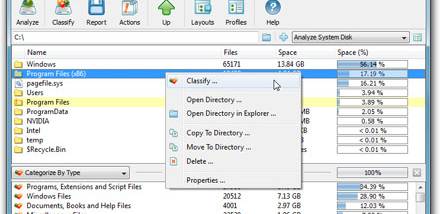
After a scan, Disk Savvy reports the number of files and the amount of space they occupy. It can group results by file extension, size, creation time, modification date or file type. These categories help reveal patterns such as large files taking up a disproportionate share of a drive, or particular file types spread across folders. Users can switch between different ways of organizing the results to investigate a storage problem from more than one angle.
The program handles local paths as well as UNC network paths, making it useful for examining shared folders and other network-attached storage in addition to disks on the computer. Long and Unicode filenames are supported, which helps preserve readable names in large or multilingual file collections. Disk Savvy also includes file management operations, allowing some file-handling work to take place within the application alongside the storage review.
For quick checks, a Windows context-menu entry can launch an analysis of a selected folder without requiring users to open the program and browse to that location first. This suits routine investigations, such as checking a project directory, reviewing a shared folder or identifying which types of files are filling a disk. More comprehensive scans can be used when a drive or storage device needs an overall assessment.
Disk Savvy is freeware and runs on Windows, including Windows 10 and Windows 11. Its focus is storage analysis rather than general-purpose file browsing: it turns file counts and space consumption into categorized results that can guide cleanup and storage planning. The free edition covers the core analysis features; advanced rule-based analysis, performance tuning and report export are associated with the separate Pro edition.