Faststone Image Viewer 5.7 review by Senna (Jul 14, 2016)

Good effects available to apply to images.

FastStone Image Viewer combines an image browser, viewer, converter and editor for Windows. Browse folders with thumbnails or inspect pictures in full screen, with edge-triggered panels for tools and EXIF information. It supports common image and camera RAW formats, tagging, JPEG comment editing and batch conversion or renaming. Editing tools include cropping, resizing, color adjustments, red-eye correction and annotation; slideshows can include music and more than 150 transitions. It also offers printing, scanner support, screen capture and a portable build.
| Author: | FastStone Soft |
| License: | Shareware |
| Price: | $34.95 |
| Released: | May 29, 2026 |
| File size: | 11.90 MB |
| Downloads: | 3075 |
| Keywords: | image editing software, high-quality image display, convert, image converter, browser, FastStone Soft, photo editor, raw image viewer, photo browser, x64 software, Windows 10 compatible, FastStone Image Viewer, image convertor, image viewer, image browser, batch image conversion, FaststoneImageViewer, convertor |
| Author URL: | https://www.faststone.org/ |
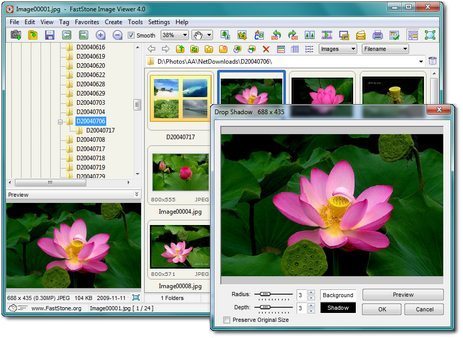
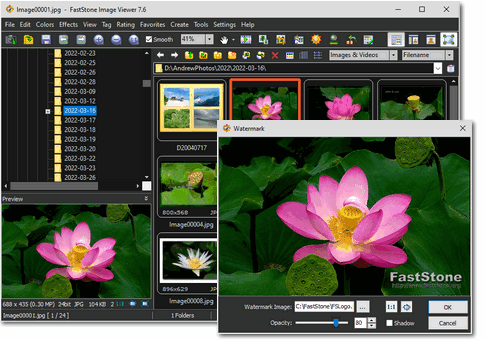


FastStone Image Viewer is a Windows image browser, viewer, converter and editor for people who need to review and organize picture collections as well as make everyday corrections. Its Explorer-like interface presents folders and thumbnails for browsing, while a full-screen viewer provides zooming and quick access to image information and editing tools. Hidden panels appear when the pointer reaches a screen edge, keeping controls available without covering the image.
The editing tools handle common adjustments such as cropping, resizing, rotating, flipping, sharpening, blurring and changing brightness or contrast. Color options include grayscale, sepia, negative and individual red, green or blue adjustments. A magnifier supports close inspection, and red-eye correction can reduce the effect in portraits. Users can add annotations, watermarks, frames and drop shadows, then review changes with multi-level undo and redo. Resize operations offer several resampling methods, and the Save As controls help compare image quality and file size before saving.
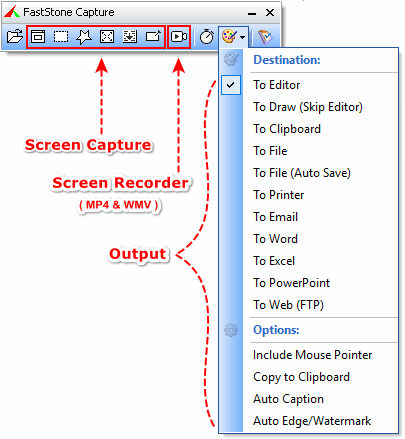
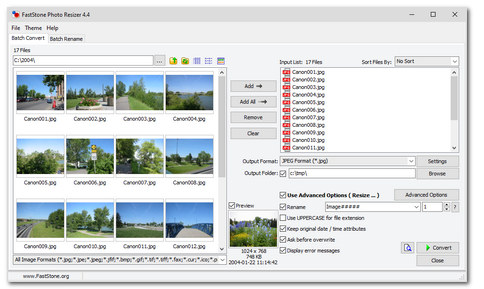
For collection management, the program supports tagging, folder-based copying and moving, and viewing EXIF details, including editing JPEG comments. Its histogram and color counter provide additional information for evaluating an image. Batch processing can convert or rename multiple files, while the slideshow tool combines music with more than 150 transition effects. Images can also be prepared as email attachments, printed with page-layout controls, or selected as desktop wallpaper. Scanner acquisition and screen capture add ways to bring new images into a collection.
FastStone Image Viewer supports common formats such as BMP, JPEG, JPEG 2000, animated GIF, PNG, PCX, TIFF, WMF, ICO and TGA, along with popular camera RAW formats including CRW, CR2, NEF, PEF, RAF, MRW, ORF, SRF and DNG. This broad format support makes it useful for browsing mixed collections, checking camera files, preparing pictures for sharing and carrying out simple edits without switching between separate viewing and conversion tools. Full-screen viewing is also suited to showing images, with music-backed slideshows available for presentations or informal viewing.
The software is shareware and supports Windows 10 and Windows 11. Its multilingual interface, configurable mouse-wheel behavior and selectable skins allow users to adjust the browsing experience. A portable build can be created for use from removable storage without installing the program on each computer. FastStone Image Viewer combines collection browsing, basic image editing, batch conversion and output options in one desktop application.
Good effects available to apply to images.