TeraCopy
... problem files. The utility can also calculate CRC checksums to check copied files for errors, providing an additional way ...

FastSum Standard Edition checks file integrity by calculating MD5 checksums, or digital fingerprints, that can be compared after files are copied, transferred over a network, or written to disc. It can process many files, uses file-type filters to narrow checks, and includes step-by-step wizards, Internet Explorer shell integration, and Unicode support. It is trialware for Windows, including Windows 10 and 11.
| Author: | Kirill Zinov |
| License: | Trialware |
| Price: | $14.95 |
| Released: | May 30, 2023 |
| File size: | 7.80 MB |
| Downloads: | 176 |
| Keywords: | checksum utility, FastSum Standard Edition, MD5 hash values, checksum verifier, file integrity checker, check, Kirill Zinov, integrity, checksum, compare file checksums, checksum algorithm, file verification software, md5 checksum utility, verify copied files, data integrity verification, batch checksum tool, check integrity |
| Author URL: | https://www.fastsum.com/ |
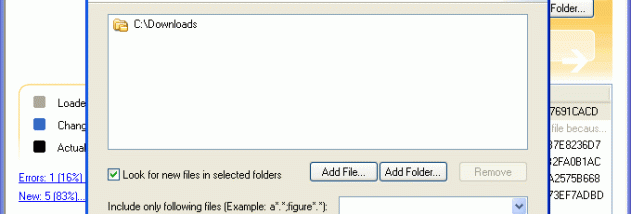

FastSum Standard Edition checks whether files have changed or become damaged by calculating MD5 checksums. It is intended for people who need to verify files after copying them, transferring them over a network, or writing them to a CD or DVD. A checksum acts as a digital fingerprint: FastSum creates one for a file, then calculates another later so the results can be compared for changes.
The program can process large groups of files, making it useful when checking folders rather than verifying items one at a time. Its MD5-based calculations are designed to run quickly while using modest CPU resources. Users can create fingerprints before a transfer or disc-burning job, then run a check on the resulting files to help identify changes or damage.
Step-by-step wizards guide common tasks, while file-type filters allow a check to be limited to selected kinds of files. Internet Explorer shell integration offers access to FastSum functions through the Windows file interface. Unicode support enables the program to work with filenames and text in different languages.
FastSum can help with routine file-integrity checks, including validating copies, archived data, and files moved between computers or storage media. A matching checksum indicates that the compared file contents produce the same MD5 fingerprint; a different result signals that the contents differ. MD5 is a legacy checksum algorithm and should not be treated as a modern security guarantee or proof of authenticity.
FastSum is trialware for Windows, with support listed for Windows 10 and Windows 11 as well as older Windows releases. Its core workflow is to calculate and later compare file fingerprints, with wizards, filters, and shell integration intended to simplify those checks.