Arix Archive
... the download page for Arix Archive, a powerful Windows 10 software developed by the talented Ari Sohandri Putra. Arix Archive is a versatile file compression ...

FreeExtractor turns existing ZIP files into self-extracting Windows archives through a four-step wizard. Authors can add introductory text, an embedded URL, a custom icon and shortcuts for recipients. Its optional MakeSFX command-line utility supports batch automation. The open-source tool is suited to distributing software or grouped files, and its output can also be opened with archive utilities such as WinZip and WinRAR.
| Author: | Andrew Fawcett |
| License: | Open Source |
| Price: | FREE |
| Released: | Sep 23, 2009 |
| File size: | 102 kB |
| Downloads: | 310 |
| Keywords: | sourceforge.net, archiver, packager, compresor, zip to exe converter, x64 compatibility, automated sfx creator, self extracting archive creator, self-extractor creator, file extraction utility, FreeExtractor, Windows 10 software, zip archive, windows archive packager, Andrew Fawcett, make self extracting installer, create self extractor, create self extracting zip |
| Author URL: | http://freeextractor.sourceforge.net/FreeExtractor/ |
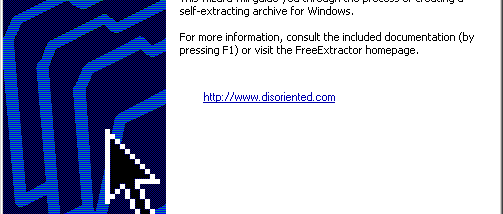

FreeExtractor is an open-source Windows utility for turning existing ZIP archives into self-extracting files. It is intended for software developers, support teams and anyone who needs to distribute a collection of files in a form that recipients can unpack without first opening a separate archive manager. The source ZIP remains the starting point; FreeExtractor packages it as a self-extracting archive with a graphical extraction interface.
Archive creation is handled by a four-step wizard. The author selects an existing ZIP and works through the available configuration options to build the self-extractor. Settings can include introductory text to explain the package, an embedded URL for a related website or support page, a custom icon, and shortcuts to create during extraction. These choices let a package provide basic context and launch or access points alongside its files.
For repeat packaging tasks, the optional MakeSFX command-line utility can automate creation of graphical self-extractors from a batch file. This provides a way to incorporate archive building into a scripted workflow rather than completing every package manually in the wizard. The project is open source under a zlib-style license, which permits use in commercial applications, modification and redistribution subject to conditions such as preserving the license notice and identifying altered source versions.
Self-extracting archives are useful for sending installers, project files or other grouped content to people who may not have an archive utility installed. FreeExtractor-created packages can also be opened with third-party archive programs such as WinZip or WinRAR, giving experienced recipients another way to access the contents. The utility creates a Windows graphical extractor, while the optional command-line tool is aimed at authors who need to generate packages repeatedly.
FreeExtractor is designed for Windows and the supplied compatibility information covers systems through Windows 10, including 64-bit editions where indicated. It is a focused packaging tool rather than a general-purpose archive manager: it creates self-extractors from ZIP files and offers settings for how those packages are presented and used. The software is provided without warranty; its license allows broad use while retaining requirements concerning attribution of origin and notices in redistributed source.