Get my IP for Windows 10 - Full description
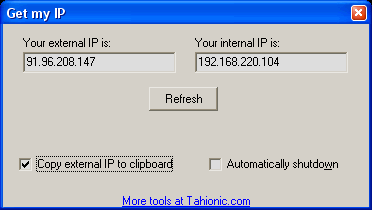
Get My IP is a lightweight Windows utility for checking the network addresses assigned to a computer and the public address visible outside its local network. It is useful for people troubleshooting connectivity, using a VPN, or monitoring a dynamic public IP. Rather than requiring a visit to an online lookup page, the app brings local and public address information together in one desktop interface.
The program displays the external IP alongside geolocation details associated with that address, including continent, country, state, city, postal code, GPS coordinates, time zone, and internet service provider. This information can help identify the apparent region of a connection or provide useful context when diagnosing network issues. Geolocation results describe the public address and should be treated as an estimate of its associated location, not as a precise location of a device. For local network checks, the app can show multiple internal IP addresses, reflecting the addresses assigned to connected network devices or interfaces.
Results can be copied to the clipboard for use in support messages, configuration screens, or other applications. The internal and external address information can also be saved as a text file. A log records the app's actions with timestamps, providing a basic history that can help users review what happened during a check. These options make it practical to keep a record or share the relevant details without manually retyping them.
A map view offers a visual way to inspect the location associated with an external IP. Users can choose among Bing Maps, Google Maps, and LatLong.net in the settings. The interface also includes a dark theme for those who prefer a darker appearance. Together, these features support everyday checks such as confirming whether a VPN changes the public address, finding the local address needed for network setup, or collecting connection details for troubleshooting.
Get My IP is open-source software offered at no cost. It is intended for 64-bit editions of Windows 10 and Windows 11. The app is focused on address identification and related public-IP information rather than broader network administration, so it provides a compact alternative to opening separate web lookup tools or command-line utilities for a basic IP check.