Movie Info Search
Welcome to the home of "Movie Info Search," an innovative software developed by the talented Benoit ... movie exploration experience seamless and enjoyable. "Movie Info Search" is a powerful tool that allows you to ...

Google App brings Google Search to a floating Windows desktop window, opened with a keyboard shortcut. It combines standard web results with AI Mode, where users can ask follow-up questions in a continuing conversation. Screen sharing, file uploads and Google Lens add ways to give a search visual or document context. The default shortcut is Alt+Space.
| Author: | |
| License: | Freeware |
| Price: | FREE |
| Released: | Oct 27, 2026 |
| File size: | 12.70 MB |
| Downloads: | 84 |
| Keywords: | google lens desktop, chatbot, assistant, Google, Google for desktop, download Google App, Google App, Google App free download, google search assistant, desktop search, google desktop search, AI search, search, google ai search, google app for pc, google ai mode |
| Author URL: | https://www.google.com/ |
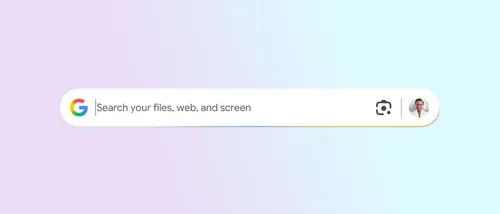
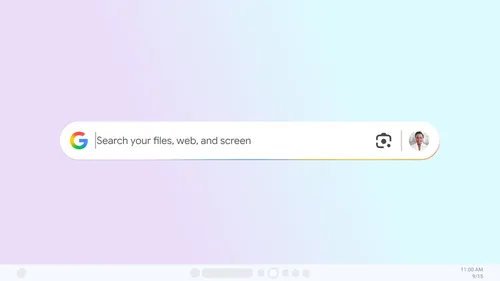


Google App brings Google Search to the Windows desktop in a compact window, for people who want to look up information or ask questions without first opening a browser. A keyboard shortcut opens its floating search interface, where a query can lead to familiar web results or an AI-powered response. The app combines conventional search with a conversational way to explore a topic, making it useful for quick lookups as well as questions that need follow-up.
With AI Mode enabled, searches can produce a direct response and support further questions in the same conversation. This lets users refine a broad query, request more detail or explore related aspects without starting over each time. The experience is intended for more involved searches as well as straightforward fact-finding, while traditional search remains available for finding pages and sources across the web. AI responses provide an alternate starting point for research rather than replacing the option to browse results.
The desktop window also includes tools for bringing additional context into a search. Users can share their screen or upload a file to inform a question, and Google Lens provides image-based search. These options are useful when a query concerns something visible on screen, an image, or content in a document rather than a phrase that is easy to describe. The shortcut can be customized; Alt+Space is the default, allowing the search window to be called up from the keyboard.
Typical uses include checking a fact while working in another application, exploring a subject through follow-up questions, and searching with an image or file as context. Keeping search in a floating desktop window reduces the need to switch to a browser for each query. People who prefer to locate and visit individual websites can use standard Google results, while those seeking a conversational response can use AI Mode.
Google App is freeware for 64-bit Windows 10 and Windows 11. Its search and AI features provide a desktop route to Google's services, with screen sharing, file uploads and Lens as additional ways to frame a query. Availability and behavior of online search or AI features may depend on Google services and an internet connection.