Web Searcher for Windows 10 - Full description
Web Searcher is a desktop tool for collecting search results and examining web pages. It is intended for website owners, SEO researchers and other users who need to find URLs, compare their positions in search results or gather contact and page information. The program searches Google, Bing, Baidu and Yandex, and also includes Google Image Search; its features cover both search-result collection and follow-up analysis of pages.
Searches can return links and page titles, with a rank showing each URL's position in the results. Filters help narrow the collected URLs and titles, while options to skip duplicate links or domains reduce repeated entries. The tool can also trim URLs to their root address, making it easier to review results by site rather than by individual page. These functions support tasks such as checking where a site appears for a keyword and compiling a focused set of competing pages.
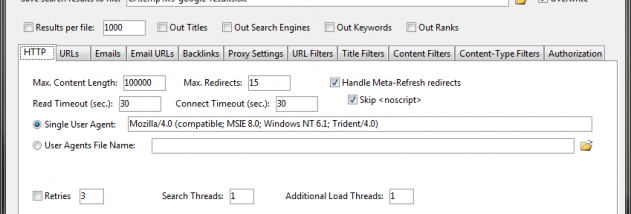
Web Searcher can load pages found through a search and extract their titles, keywords, email addresses and links. It can identify backlinks from those pages to specified sites, or follow extracted links to load further pages and collect additional emails and links recursively. Duplicate emails can be skipped, which helps keep larger contact lists cleaner. Multithreading is available for processing multiple tasks, and proxy support provides an additional option for managing requests.
Results can be filtered before saving, and large output can be divided into smaller files containing a chosen number of lines. This makes the program useful for keyword research, basic search-position monitoring, backlink discovery and assembling lists of relevant pages or publicly visible email addresses. Its combination of search, extraction and file-handling tools keeps these activities in one workflow rather than requiring separate utilities for every step.
Web Searcher is freeware. Its stated Windows compatibility includes Windows XP, Vista, 7, 8 and 10, including listed 64-bit editions; Windows 11 compatibility is not established here. Search engines and their result pages can change over time, so search and extraction behavior may depend on the services being queried. The software is suited to users comfortable reviewing collected data and applying it in their own research workflow.