Spotify Chrome Extension
Spotify Chrome Extension is a browser add-on for finding music related ... freeware and is intended to run as a Chrome extension. Windows 10 and Windows 11 are among the ...

High Contrast is a Google Chrome extension that adjusts web page colors to make content easier to distinguish. It offers preset modes including increased contrast, inverted colors, and grayscale, with settings that can apply across websites or only on selected sites. Keyboard shortcuts allow quick mode changes while browsing. The extension is intended for users who find default page designs difficult to read, including people with visual impairments or color-vision differences.
| Author: | |
| License: | Freeware |
| Price: | FREE |
| Released: | Dec 8, 2025 |
| File size: | 164 kB |
| Downloads: | 140 |
| Keywords: | webpage grayscale filter, High Contrast free download, color inversion, download High Contrast, visual aid, adjust page contrast, improve web page readability, chrome accessibility tool, readability, user-friendly, invert page color, contrast, High Contrast, web enhancement, grayscale, change page aspect, page filter, invert webpage colors, color, Chrome extension, Google, visual comfort, high contrast extension, accessibility, invert |
| Author URL: | https://www.google.com/ |
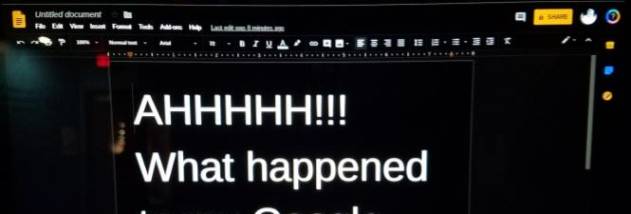

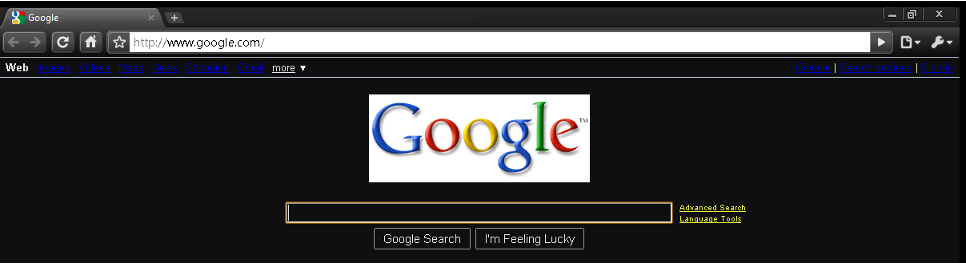


High Contrast is a Google Chrome extension for people who need web pages to be easier to read or distinguish. It changes page colors and contrast rather than altering the browser's content, providing alternate viewing options for users with visual impairments, color-vision differences, or difficulty with a site's default design. It can also help when bright or low-contrast pages cause discomfort during browsing.
The extension offers preset modes such as increased contrast, inverted colors, and grayscale. These filters change how text, backgrounds, and other page colors appear, helping users choose a view that makes important content clearer. A user can switch among the available modes to find a suitable setting for a particular page; the result is a visual adjustment, not a rewrite of the page or a guarantee that every site element will remain legible.
Settings can be applied across websites or limited to selected sites. This allows a consistent color treatment while browsing, while leaving pages that already work well in their original appearance. High Contrast also supports keyboard shortcuts for switching modes, so frequent adjustments can be made without opening the extension controls or leaving the current page. Its compact interface is intended for quick changes rather than extensive configuration.
Typical uses include improving the distinction between text and backgrounds, viewing pages in grayscale, or reversing colors when a site's palette is uncomfortable. It may be useful during reading, research, and everyday browsing, especially when individual sites offer few display controls. Since it changes visual presentation, it is best treated as a personal accessibility aid; it does not change a website's underlying accessibility or guarantee that images, controls, and all other content will display as intended.
High Contrast is freeware for Google Chrome and is available for 64-bit Windows 10 and Windows 11. It is a lightweight browser add-on designed to make page appearance adjustments without a separate desktop application. Users can keep a preferred mode for general browsing and change it for individual websites when needed.