QuickDNS
... gateway of enhanced browsing! Discover QuickDNS, a cutting-edge Windows 10 software developed by the ingenious minds at Canadian Mind Products. Designed to revolutionize your internet ...

KeyScrambler Personal is a Windows utility that encrypts keystrokes in real time at the keyboard-driver level, helping make typed information unreadable to keyloggers that intercept it. It works in the background with supported browsers, email clients and messaging apps. An on-screen overlay indicates encryption activity. The freeware focuses on keystroke protection, rather than broader threats such as phishing or malware.
| Author: | QFX Software Corporation |
| License: | Freeware |
| Price: | FREE |
| Released: | Dec 8, 2025 |
| File size: | 1.70 MB |
| Downloads: | 249 |
| Keywords: | keyboard security software, keystroke encrypt, browser, keystroke, keystroke encryption, browser keystroke protection, QFX Software Corporation, keystroke protection, encryption technology, x64 compatible, browser plugin, free keystroke security, keylogger protection, protect typed passwords, Windows 10 software, personal, personal information, KeyScrambler Personal |
| Author URL: | http://www.qfxsoftware.com/ |
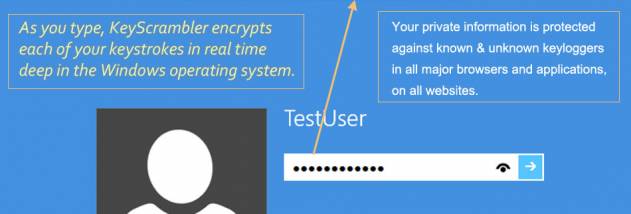




KeyScrambler Personal is a Windows security utility for people who want to reduce the risk of keyloggers capturing information as they type. It encrypts keystrokes at the keyboard-driver level before they reach an application. If a keylogger intercepts the protected input along that path, the captured keystrokes are intended to be unreadable rather than plain text. The program focuses on typed input, including sensitive details such as passwords and payment information, rather than serving as a general-purpose antivirus or online threat blocker.
Protection operates in real time while the user types. KeyScrambler works in the background, so there is no need to encrypt text manually or change how a browser or other supported program is used. Its coverage includes popular browsers such as Chrome, Firefox and Edge, along with email clients and instant messaging applications. This makes it relevant for everyday tasks where credentials or private messages are entered, although protection depends on the application being supported by the software.
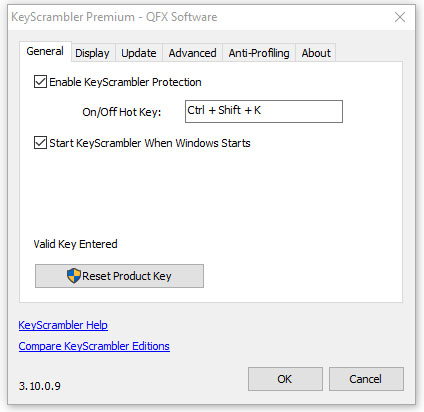
An on-screen overlay provides visual feedback that keystroke encryption is active. The interface also lets users monitor activity and adjust available settings. The utility is designed to run quietly and use few system resources, keeping its security function separate from the user's normal typing workflow. Its narrow focus is also important: it addresses keylogging of keystrokes, not other risks such as phishing, malicious downloads, or information captured by screenshots. It is best treated as one layer of a broader security approach, not a replacement for other safeguards.
Typical uses include entering account passwords in a supported browser, typing payment details into web forms, and composing private messages or email. Because the protection applies as data is typed, it is intended to help across multiple supported applications without requiring a separate encryption step for each entry. Users can check the overlay for an indication of activity, while continuing to rely on sound password practices and appropriate security software for threats beyond keystroke logging.
KeyScrambler Personal is freeware from QFX Software Corporation. It supports Windows 10 and Windows 11, as well as several earlier Windows releases, including Windows 8, 7, Vista, XP and Windows 2003. The software is intended for individual users seeking focused protection against keyloggers; it does not claim to secure every route by which information can be stolen. Application coverage and protection should therefore be considered in the context of the programs used and the broader security measures on the computer.