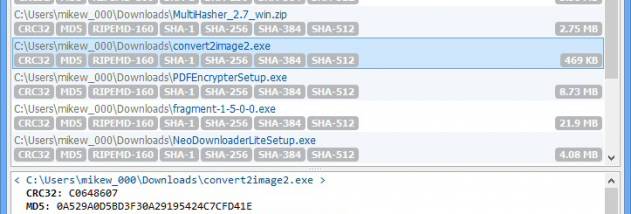
MultiHasher for Windows 10 - Full description
MultiHasher is a portable file-hashing utility for users who need to calculate checksums without installing a larger security or file-management suite. It produces cryptographic hash values from files, which can help identify files or check whether a downloaded or transferred copy matches a known checksum.
The program supports MD5, SHA-1, SHA-256, SHA-384 and SHA-512. These algorithms produce different hash values from the same file, so MultiHasher can calculate one or several of them in a single operation. This is useful when a published checksum is available in a particular format, or when a workflow calls for more than one hash.
Hash calculation can be canceled, giving users a way to stop a task before it finishes. The utility also supports localization, and its portable design lets it run without a conventional installation. It can be kept with other maintenance tools or launched when a checksum needs to be checked, rather than remaining installed as a background application.
Typical uses include comparing a file's calculated hash with a checksum from a trusted source, recording file fingerprints for later reference, and generating hashes for files being shared or archived. MultiHasher calculates the values; users compare them with the reference checksum themselves. It is freeware and is intended for Windows. The supplied compatibility information names Windows XP through Windows 8, so support for later Windows releases should not be assumed from that information alone.