Network Activity Indicator
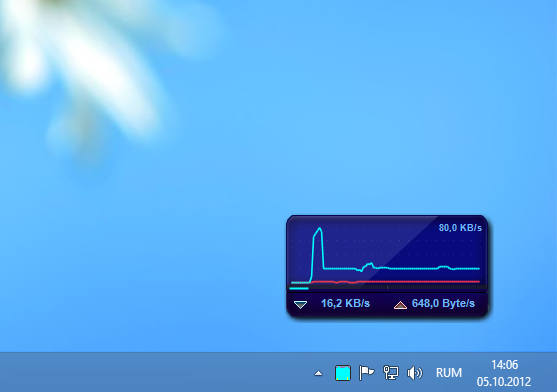
Network Activity Indicator is a small Windows utility for ... is sending or receiving data without opening a network monitor. It places an activity icon in the system ...

NetBalancer Pro monitors network activity by process and helps Windows users manage how applications share available bandwidth. It displays live traffic statistics and graphs, and lets users set download and upload priorities or limits for individual processes. Rules can be based on IP address, protocol or time of day, while password protection restricts changes to settings. A service can synchronize policies across devices.
| Author: | Seriousbit |
| License: | Demo |
| Price: | FREE |
| Released: | Nov 29, 2024 |
| File size: | 36.90 MB |
| Downloads: | 494 |
| Keywords: | network priority adjustment, Monitor, bandwidth monitor, Surveillance, application bandwidth limiter, internet traffic monitoring, Connection Monitor, Internet Monitor, internet bandwidth manager, system process management, NetBalancer Pro, process traffic monitor, Network Monitor, bandwidth control, network traffic control, Seriousbit, network connection monitor, Network |
| Author URL: | https://seriousbit.com/ |

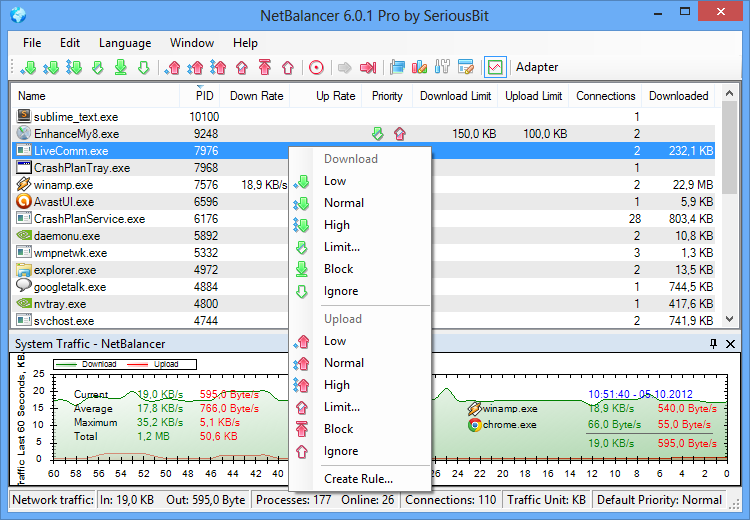
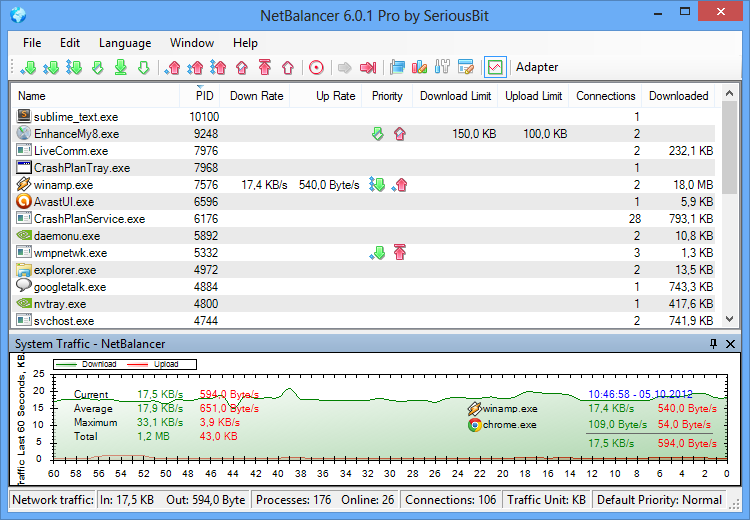



NetBalancer Pro is a Windows network traffic monitor and bandwidth manager for people who want to see how applications use an internet connection and control how that bandwidth is shared. It tracks network activity by process and lets users set download and upload priorities or limits, helping protect important tasks from being slowed by background transfers.
The live monitoring view shows traffic statistics and graphs for individual applications. Users can check which processes are currently sending or receiving data, compare their activity and identify programs consuming a disproportionate share of the connection. Per-process controls can then assign higher or lower priority, or impose a bandwidth limit, so downloads, streaming, calls and other network tasks compete according to their importance.
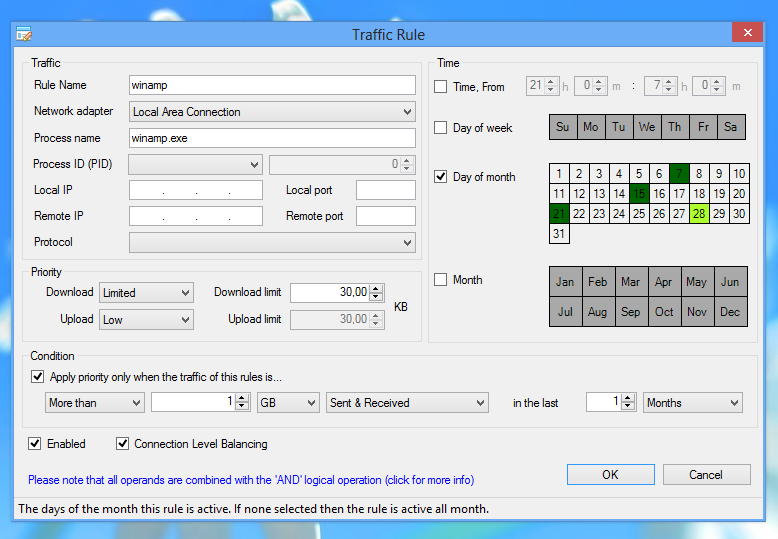
Rules and filters provide more detailed control than application-level settings alone. Policies can be tailored using criteria such as IP address, network protocol or time of day, making it possible to manage particular kinds of traffic or schedule restrictions. Password protection can prevent other users from changing the configured priorities and limits. A NetBalancer Service can synchronize settings across multiple devices, which is useful when applying consistent policies to several systems.
The software is suited to home users troubleshooting slow connections, people balancing large downloads with interactive applications, and administrators who need visibility into process-level traffic. Its monitoring and controls can help explain where bandwidth is going and reduce the effect of less important activity; it does not increase the capacity of the internet connection itself. Settings can be adjusted as usage changes, rather than relying only on router-wide limits that treat all applications alike.
NetBalancer Pro is offered as demo software and is developed by Seriousbit. It supports Windows 10 and Windows 11, as well as Windows 7 and Windows 8, with 32-bit and 64-bit support indicated for the latter systems and for Windows 10. It runs in the background while providing a graphical interface for monitoring and policy management.