NetLimiter Pro for Windows 10 - Full description
NetLimiter Pro is a Windows network traffic monitor and controller for people who need to see how applications use an internet connection and manage their bandwidth. It suits home users balancing shared connectivity as well as administrators who need more detailed control over traffic from individual programs or connections.
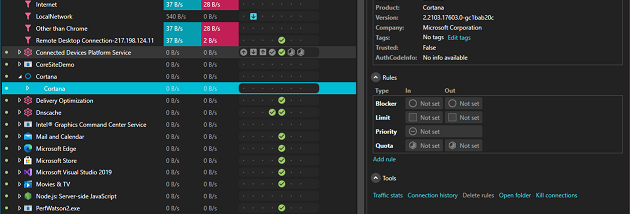
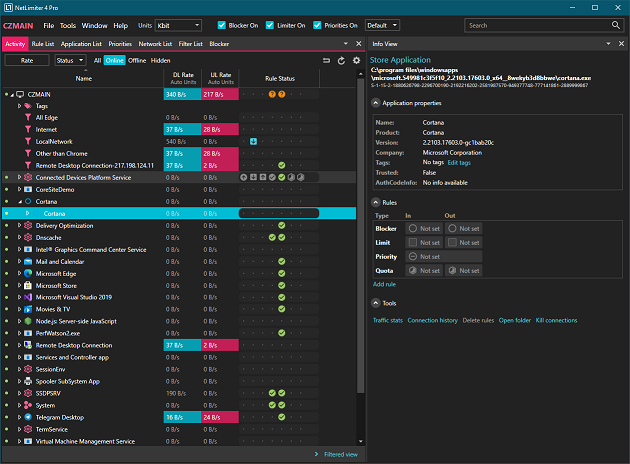
The dashboard shows network activity in real time, helping identify which applications are sending or receiving the most data. NetLimiter can apply separate download and upload speed limits to applications and individual connections. These limits help prevent a large transfer or bandwidth-heavy program from taking too much capacity, while leaving other applications able to use the connection. Traffic statistics and historical data provide another view: users can review usage over time and compare it with current activity when investigating unexpected consumption.
For more specific control, the program supports custom rules and filters based on criteria including application, IP address and protocol. These can be used to shape traffic for particular programs or connections rather than applying one limit across the entire computer. Its firewall feature lets users permit or block network traffic according to rules, providing a way to manage which connections are allowed. Together, the monitoring and rule controls can help with investigating connection problems, managing bandwidth priorities and applying consistent traffic policies.
NetLimiter also includes remote administration for overseeing network activity on multiple devices. This is useful for IT staff and other administrators who need to manage more than one endpoint, while individual users can use the local controls to understand and adjust their own computer's network use. The combination of live monitoring, usage history, limits and rules supports both routine bandwidth management and more focused troubleshooting.
NetLimiter Pro is trialware from Locktime Software. It is available for Windows 10 and Windows 11, as well as older Windows releases including Windows 7, Vista and XP, in 32-bit and 64-bit editions where applicable. Its controls are aimed at users who want application- and connection-level oversight, rather than only a general estimate of total internet usage.