Paint.NET
Paint.NET is a raster image and photo editor for Windows, suited to people who want tools for retouching and creating images without the complexity of a professional graphics suite. ...

Pinta is a free, open-source drawing and image editor inspired by Paint.NET. Its approachable interface brings together brushes, shapes and text tools for creating artwork or adding details to pictures. Layers help keep image elements organized, while color adjustments and effects support common editing tasks. Multiple file formats and unlimited undo history make it easier to work with different images and experiment safely. It is suited to everyday edits and illustrations without the complexity of a full design suite.
| Author: | Jonathan Pobst |
| License: | Open Source |
| Price: | FREE |
| Released: | Apr 2, 2026 |
| File size: | 57.90 MB |
| Downloads: | 256 |
| Keywords: | pinta drawing software, Pinta software, image, open-source, pinta image editor, photoshop, drawing, image editing, picture, open source drawing app, paint.net, Jonathan Pobst, free image editor, image editing with layers, painting, pinta, Windows 10 compatible, x64 architecture, paint and draw software |
| Author URL: | https://pinta-project.com |
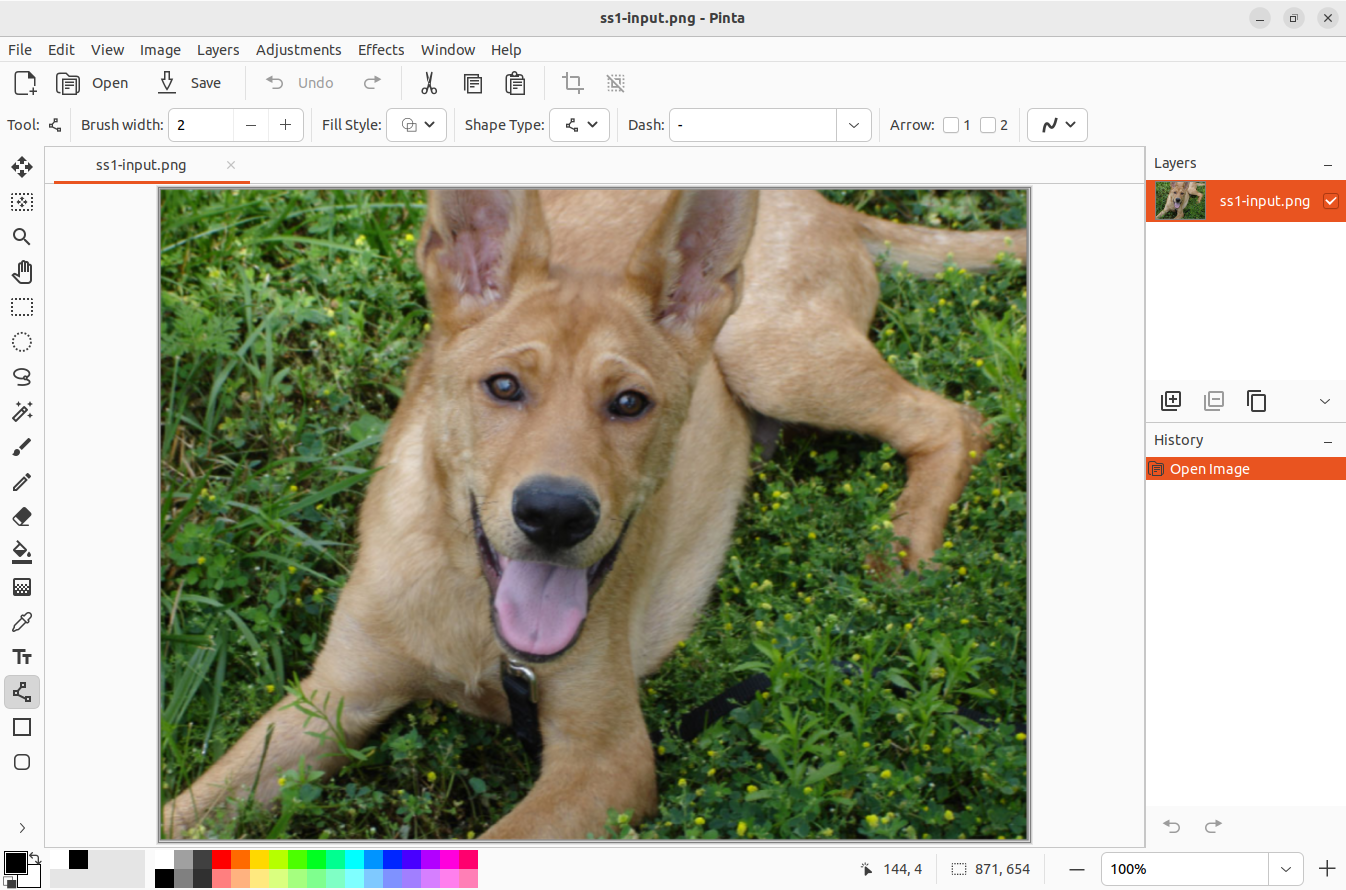



Pinta is an open-source drawing and image editor for people who want to create or revise images without the complexity of a full graphic design suite. Its straightforward interface keeps common tools accessible, making it suitable for beginners as well as experienced users who need a practical editor for everyday creative work. Inspired by Paint.NET, it combines drawing tools with image-editing features in a single application.
For original artwork, Pinta provides brushes, shapes and text tools for sketching, painting and adding labels or captions. These tools can be used to build an image from scratch or add details to an existing picture. Layers help organize separate elements of a composition, so edits to one part of the image can be made without treating the whole canvas as a single piece. Color adjustments and image effects offer ways to change the appearance of an image or apply finishing touches.
Pinta also supports multiple image file formats, which helps when opening pictures from different sources or moving work between graphics applications. Its unlimited undo history lets users step back through edits while experimenting with tools, colors and effects. This makes it easier to try changes and compare results without having to preserve a separate copy for every editing step. The combination of drawing and manipulation tools supports both image creation and routine touch-ups.
Typical uses include making simple illustrations, adding text or shapes to images, adjusting colors, applying effects and carrying out quick edits before sharing or reusing a picture. The accessible layout is useful for occasional editing, while layers and the range of editing tools provide more control for ongoing projects. Pinta is designed as a lightweight alternative to more complex graphics software, rather than a specialized professional design suite.
Pinta is free and open source. This Windows download is for 64-bit Windows 10 and Windows 11. The application is also available for macOS and Linux, making it an option for users who work across operating systems. Its relatively lightweight design can suit systems that do not need the demanding feature set of larger graphics packages.