Portable DropIt for Windows 10 - Full description
Portable DropIt is a desktop file-organizing utility for people who regularly sort downloads, work documents, photos, or other collections of files. It adds a floating drop target to the desktop: instead of navigating through folders and moving items by hand, users can drag files or folders onto the target and let configured rules handle them. Its portable form is suited to users who prefer a utility they can keep with their files and run without a conventional installation process.
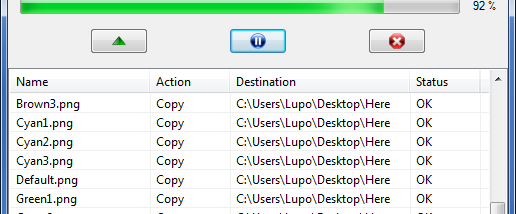
Rules can route items to chosen folders according to file type or file name. For example, a rule can send image files to one location and documents matching a particular name pattern to another. DropIt can move or copy items, as well as compress or open them with a selected program. These actions make the drop target useful for more than simple filing: it can also serve as a quick way to process a batch of files or pass selected items to an application. Folder handling can be enabled when rules need to apply to folders as well as individual files.
When a destination already contains an item with the same name, DropIt can be set to overwrite, skip, or rename the duplicate. This lets each workflow reflect how conflicts should be handled, whether the goal is to replace older copies or preserve both versions. Profiles store separate sets of rules and parameters, so users can switch between arrangements for different projects, drives, or computers rather than rebuilding their filing setup each time.
A typical workflow starts by defining destinations and actions for common file types or naming patterns, then dropping one item or a mixed group onto the desktop target. DropIt applies the matching rules and sends items to their assigned locations or programs. This can reduce repetitive manual sorting for personal archives, project folders, and other collections that receive files from multiple sources. Users who prefer direct control can still choose destinations and processing behavior through their own configured rules.
DropIt is open-source software, and this portable edition is intended for Windows. The supplied operating-system information lists older Windows releases, so support for newer Windows versions should be checked before use. Its small footprint and desktop drop-target workflow make it a focused alternative to manually browsing for each destination, particularly for recurring batches that follow consistent sorting rules.