Remote Process Viewer
... view of all active processes running on a remote computer. It's a must-have tool for IT professionals, system administrators, and tech enthusiasts alike. The Remote Process Viewer stands out for its simplicity and ...

Royal TS is a remote connection manager for IT professionals and system administrators working across varied environments. It brings RDP, SSH, VNC and web-based connections into one workspace, with a tabbed interface for switching between active sessions. Folders, templates and search help organize and locate connections, while credential management, vault support and two-factor authentication provide options for controlling access. Teams can share and synchronize connection settings and credentials; connection history and user activity logs can assist with audits and troubleshooting.
| Author: | Code4ward |
| License: | Demo |
| Price: | $49.00 |
| Released: | May 23, 2026 |
| File size: | 296.00 MB |
| Downloads: | 563 |
| Keywords: | Multi-Platform Support, console connection, rdp connection manager, remote desktop management, Customizable Interface, connection, remote connection manager, Remote Management, remote administration software, vnc remote access, Advanced Scripting, remote, ssh connection manager, rdp port, Secure Credential Storage, desktop, remote desktop connection, Task Automation |
| Author URL: | https://code4ward.net/ |
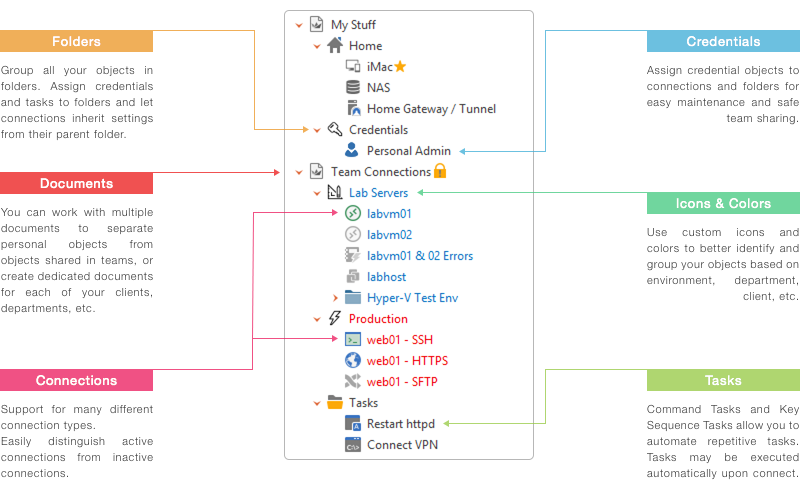

Royal TS is a remote connection manager for IT professionals and system administrators who need to access and organize systems across varied environments. It brings several connection methods into one workspace, reducing the need to switch among separate client applications. Administrators can keep connection settings together and open sessions from a central list, whether they work with remote desktops, command-line systems, virtual machines or browser-based interfaces.
The program supports Remote Desktop Protocol (RDP), SSH, VNC and web-based connections. RDP provides access to Windows desktops and servers, while SSH is used for command-line administration of remote systems. VNC offers another way to view and control remote desktops, and web connections allow browser-based management interfaces to sit alongside other sessions. A tabbed workspace keeps multiple connections open at once and makes it easier to switch between tasks without losing track of active sessions.
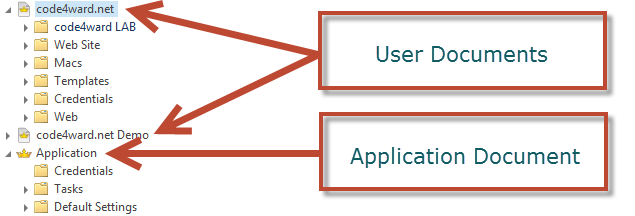
Connection details can be organized with folders, templates and dynamic folders. Templates help standardize recurring configurations, while dynamic folders can group connections according to an organization's setup. A search function helps locate saved connections and settings in larger collections. Credential management keeps access details associated with remote resources, and support for credential vaults and two-factor authentication adds options for managing access in environments with stricter security requirements.
For teams, Royal TS can share and synchronize connection settings and credentials, helping administrators maintain consistent access configurations. Its monitoring and logging features provide connection history and user activity information that can assist with troubleshooting and audits. These tools are useful when administrators need to review how remote resources are accessed or investigate a connection problem. Workspace customization lets users arrange the interface around their preferred working style.
Royal TS is intended for managing remote access rather than replacing the systems being administered. It is offered as demo software and supports Windows 10 64-bit, Windows 11, Windows Server 2016 and Windows Server 2019. Typical users include support staff managing remote desktops, administrators maintaining servers over SSH or RDP, and teams that need a shared collection of connection settings. The range of protocols makes it applicable to mixed environments where several kinds of remote access are part of routine operations.