Portable SecureFX
SecureFX is a file transfer client for moving data ... being downloaded to the local computer. For routine exchanges, SecureFX can upload, download, or mirror files. Mirroring compares ...

SecureFX is a Windows file transfer client for connecting to remote servers with SFTP, FTP, FTPS, SCP and HTTPS. It supports password, public key and Kerberos authentication, with a tabbed interface for managing multiple sessions and drag-and-drop file transfers. Scripting can automate recurring tasks, while logs and resume options help track activity and recover interrupted transfers. It also integrates with VanDyke's SecureCRT.
| Author: | VanDyke Software Inc |
| License: | Trialware |
| Price: | $59.95 |
| Released: | Apr 15, 2026 |
| File size: | 28.00 MB |
| Downloads: | 403 |
| Keywords: | automate file transfers, Transfer File, Secure Transfer, Secure, scp file transfer, FTP Transfer, Transfer, securefx download, ftp client, secure file transfer client, SecureFX, data encryption, x64 application, file transfer protocol, FTP, VanDyke Software, sftp client, Windows 10 software |
| Author URL: | https://www.vandyke.com/products/securecrt/index.html |


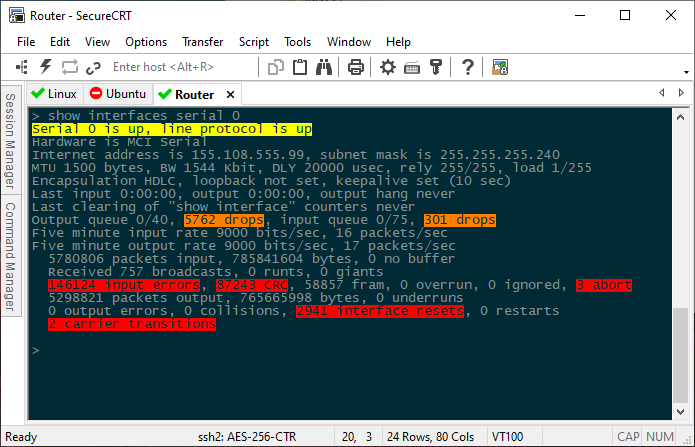



SecureFX is a file transfer client from VanDyke Software for users who need to move files between Windows computers and remote systems. It supports common transfer protocols, including SFTP, FTP, FTPS, SCP and HTTPS, so it can connect to a range of servers and services. Encrypted protocols protect data while it travels across the network, making the program suitable for personal transfers as well as work involving sensitive files.
Connections can use password, public key or Kerberos authentication, depending on the server and account setup. SecureFX organizes connections as sessions, and its tabbed interface lets users keep several sessions open while working between remote locations. Files can be moved with drag and drop between local and remote panes, providing a visual alternative to command-line transfer tools. These options help both occasional users and administrators manage routine uploads and downloads.
For recurring work, scripting support can automate transfer tasks that would otherwise require repeated manual steps. Logging records transfer activity, which can help with troubleshooting and reviewing operations. Resume and recovery options allow interrupted transfers to continue rather than requiring a complete restart, a useful safeguard for large files or unreliable connections. The workspace can also be customized to suit different working preferences.
SecureFX integrates with VanDyke's SecureCRT, allowing users of both applications to combine terminal access and file transfer in their workflow. Typical uses include exchanging files with hosted servers, maintaining remote project files, and automating regular transfers across multiple systems. The range of supported protocols can reduce the need to use separate clients for different server types.
SecureFX is commercial trialware from VanDyke Software. It is available for 64-bit Windows 10 and Windows 11, as well as specified Windows Server editions. The appropriate protocol and authentication method depend on the remote server's configuration; access credentials and server details are needed to establish a session.