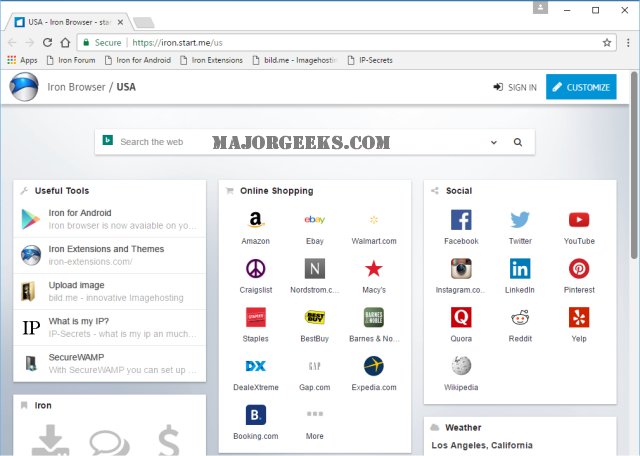
SRWare Iron for Windows 10 - Full description
SRWare Iron is a Chromium-based web browser for people who want a familiar way to browse while limiting some data collection associated with mainstream browsers. Its interface and page-rendering foundation are similar to Chrome, so users can navigate websites, open multiple tabs and work with familiar browser controls. Iron removes several Chromium features linked to tracking, including a unique user ID, search suggestions and URL tracking, placing privacy controls at the center of its design.
The browser uses Chromium to load websites and provides support for extensions from the Chrome Web Store. Extensions can add tools for tasks such as managing passwords, blocking content or changing how pages appear. This makes Iron adaptable to different browsing habits while retaining the general workflow of a Chromium browser. Users can install extensions to add functionality without switching to a different browser platform.
Iron also includes built-in ad blocking, which can reduce the number of advertisements shown on supported pages and limit exposure to potentially harmful ads. Removing ads may make some pages feel less cluttered, although site behavior can vary. Its streamlined interface keeps everyday browsing controls accessible, while Chromium compatibility helps websites behave as expected across common browsing tasks.
Iron can suit people who browse for work, research, shopping or general reading and prefer a Chromium-style browser with selected tracking-related functions removed. It is also an option for users who want to use Chrome-compatible extensions without using Chrome itself. As with any browser, privacy depends on more than the browser alone: websites, extensions and online accounts may still collect information according to their own practices.
SRWare Iron is open-source software and is available for Windows 10 and Windows 11, including 32-bit and 64-bit Windows 10 systems. The supplied system information also includes Windows 8 and Windows 7. Users should keep the browser and any installed extensions updated, since security fixes and website compatibility depend on current software. Iron is intended for everyday web browsing on desktop computers.