NCP Secure Entry Windows Client
... GmbH. This software is a must-have for all Windows 10 users who value their online security and privacy. The NCP Secure Entry Windows Client is ...

ThinWin is a Windows utility for configuring a PC as a thin client and locking it down for focused remote access. It supports RDP connections to Windows desktops, as well as ICA and XenApp connections used in Citrix environments. This makes it suitable for repurposing a computer as a terminal for centrally hosted desktops or applications. ThinWin is freeware, with stated support through Windows 10.
| Author: | Sourceforge |
| License: | Freeware |
| Price: | FREE |
| Released: | Dec 30, 2013 |
| File size: | 1.40 MB |
| Downloads: | 631 |
| Keywords: | xenapp client, convert, Windows 10, thin client setup, Thin Client, lock down pc, rdp client utility, software review, create Thin Client, ThinWin, create, thin client software, Thin, remote utility, disk cloning, ica connection tool, Sourceforge, x64 |
| Author URL: | https://sourceforge.net/ |
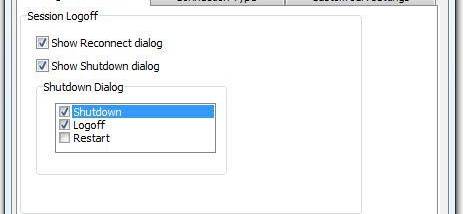



ThinWin is a Windows utility for turning a PC into a thin client: a computer configured to connect to applications or desktops hosted elsewhere. It is intended for setups where a local machine serves mainly as an access point rather than as a general-purpose workstation. ThinWin can lock down a PC used in this role, helping keep its use focused on remote sessions.
The program supports Remote Desktop Protocol (RDP), which connects to Windows computers and hosted desktops that provide an RDP service. It also supports ICA, a protocol used by Citrix remote access products, and XenApp connections for accessing applications delivered through Citrix XenApp. These connection options let administrators configure the client around the remote environment already in use.
ThinWin brings thin-client conversion and connection support into a small utility rather than requiring a separate thin-client device. Its lockdown function is relevant when a PC is dedicated to remote access, such as at a shared workstation or a public-facing terminal. The available connection types cover different remote desktop and application delivery environments; the appropriate option depends on the server-side system.
Typical uses include repurposing older PCs as terminals for centrally hosted desktops, providing access to business applications, and setting up shared computers that should be used primarily for remote sessions. ThinWin focuses on this conversion and access role rather than acting as a general remote-management suite or a tool for hosting applications itself.
ThinWin is freeware. Its stated Windows support ranges from Windows XP through Windows 10, including 64-bit editions where listed; Windows 11 support is not included in that range. The download is approximately 1.4 MB. Remote connections require a compatible RDP, ICA, or XenApp service and the relevant network access on the host environment.