Batch JPEG Rotator
... to streamline your digital workflow, allowing you to rotate JPEG images in batch, saving you time and effort. Batch JPEG Rotator stands out for its ...

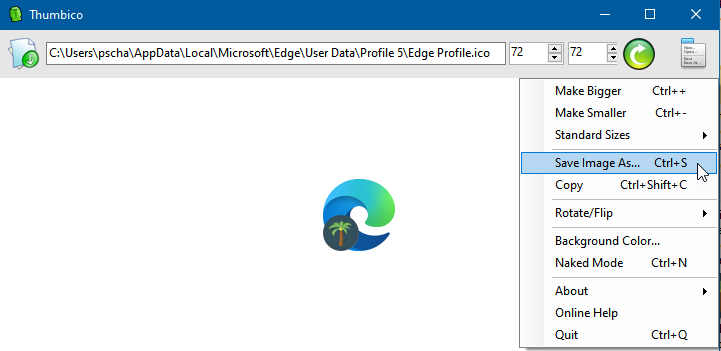
Thumbico is a portable Windows utility for previewing and extracting icons embedded in files. Load an item by dragging it into the workspace, browsing with the built-in file explorer, or entering its path. The preview can be zoomed, rotated, flipped and set to a custom resolution, then saved in common image formats. It is designed for quick icon retrieval, not detailed image editing, and does not save ICO files.
| Author: | Aurelitec |
| License: | Open Source |
| Price: | FREE |
| Released: | Oct 7, 2026 |
| File size: | 11.90 MB |
| Downloads: | 73 |
| Keywords: | rotate and flip icons, Thumbico, open source icon extractor, Rotate Thumbnail, save file icons, Preview, download Thumbico, extract icons from files, file icon extraction, portable icon extractor, icon sav, Flip, Rotate, Preview Icon, Thumbico free download, Thumbnail Viewer, icon extractor, thumbnail viewer, icon preview tool, Windows icon tool, Thumbnail |
| Author URL: | https://www.aurelitec.com/thumbico/ |


Thumbico is a lightweight Windows utility for previewing and extracting the icons embedded in files. It is useful for developers preparing application assets, designers collecting visual references, and anyone who needs to inspect or save a file's icon without searching through system folders. The portable application runs without installation, so it can also be kept on removable storage and launched when needed.
To load an icon, users can drag a file into the workspace, browse for it with the built-in file explorer, or enter its full path in the toolbar. Thumbico then displays the icon associated with that file. This provides a straightforward way to check an executable's icon or retrieve an image for use in a project. The path field is also practical when the target is already known and browsing through folders would take longer.
The preview can be adjusted before saving. Thumbico supports zooming, rotation and flipping, along with setting a custom resolution for the displayed image. These controls help when the icon needs a different orientation or size for reference or reuse. The resulting image can be saved in commonly used image formats, but the program does not save to ICO format. It is an extraction and preview tool rather than a general image editor: it does not provide editing tools or a control for setting transparency.
Thumbico suits quick tasks such as checking the artwork embedded in an application, collecting an icon for a mock-up, or preparing a preview image for project materials. Its compact interface keeps the process focused on loading a file, inspecting the icon and saving an image. Icon quality and availability depend on the source file, so some files may not produce a usable result, and enlarging a small embedded icon cannot add detail that is not present in the original.
Thumbico is open-source software for 64-bit editions of Windows 10 and Windows 11. It requires no installation and uses a simple file-based workflow, making it accessible to occasional users as well as developers who need to inspect icons regularly. Since it does not replace a full image editor, users who need to modify artwork or control transparency will need another application for those steps.