UltraVNC 64 bit for Windows 10 - Full description
UltraVNC is a free remote access and support tool for connecting to another Windows computer over a local network or the internet. Its viewer displays the remote machine's screen, while keyboard and mouse input let an operator work on that computer from a different location. This makes it useful for administrators, support staff and individuals who need to troubleshoot a PC or access a remote desktop without being physically present.
The main viewer and server components establish the remote session: the server runs on the computer being accessed, and the viewer connects from the controlling computer. Once connected, the operator can interact with the remote desktop much as if seated in front of it. File transfer allows files to be exchanged during a session, while text chat provides a way to communicate with the person at the other end. A viewer toolbar puts session controls within reach, and automatic reconnection can restore a connection after an interruption.
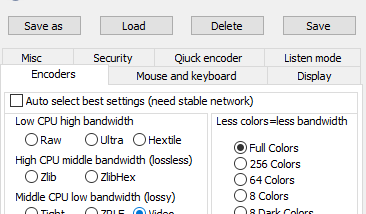
Display and connection options help adapt UltraVNC to different setups. Automatic scaling and server-side scaling adjust the remote image to fit the viewer or reduce the work needed to resize it locally. Support for multiple monitors makes it possible to work with computers that use more than one display. Optional encryption plugins can add protection to connections, and MS Logon supports authentication through Windows logon credentials. A Java viewer with file transfer offers an additional way to connect, while repeater and proxy support provide alternatives for routing sessions through intermediary systems.
For remote assistance, technicians can connect to a customer's computer to investigate problems and perform work from afar. The SingleClick generator is an add-on intended to simplify that support process, reducing the setup required on the customer's side. The Repeater and NATtoNAT connectors are additional tools for handling connections across more complicated network arrangements, such as systems that cannot connect directly. These options make the software applicable both to straightforward remote desktop use and to support environments with varied network layouts.
UltraVNC is freeware and is available in a 64-bit edition for Windows. The supplied compatibility information includes Windows 7 x64, Windows 8 x64, Windows 10 x64 and Windows 11. Its mix of remote viewing, input control, file exchange, chat, display options and connection helpers suits users who need a configurable remote support or desktop access utility.