WebESC for Windows 10 - Full description
WebESC is a Windows utility for checking whether local files and online documents have changed since they were recorded. It is intended for users who periodically review important web links or maintain a reference list of files and want a straightforward way to spot differences. The program collects information about scanned items in FLS files, which can be created by WebESC or prepared manually, and compares later scan results with the saved records.
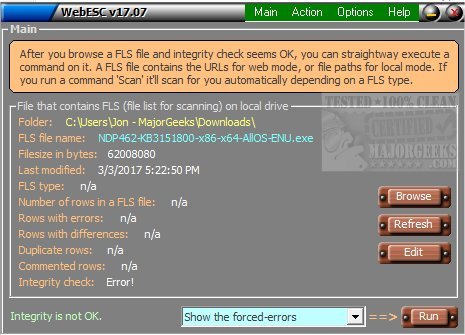
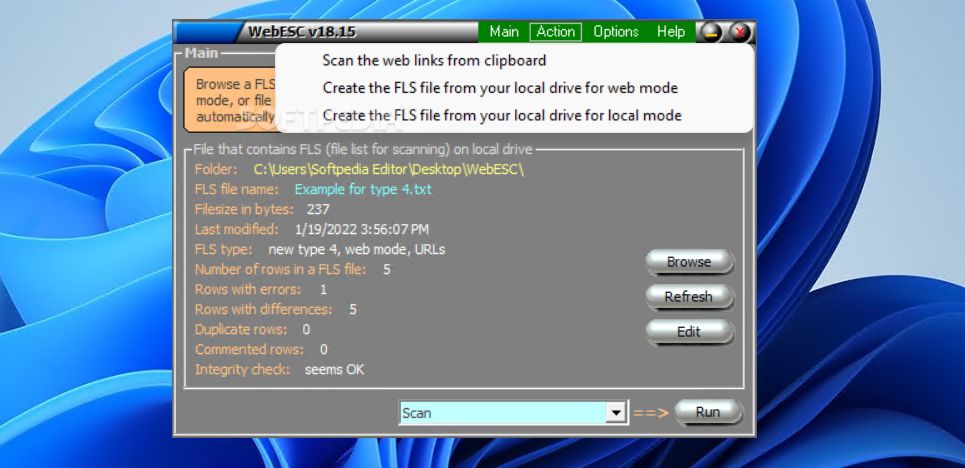
A scan can cover URLs, locally stored web pages, links copied to the clipboard, or items already listed in an FLS file. WebESC displays the file's status as the scan runs, helping users see whether the recorded items still match their earlier state. When differences are found, the results can indicate which items have changed. This can help identify unexpected alterations, though a change by itself does not establish that a file is infected or damaged.
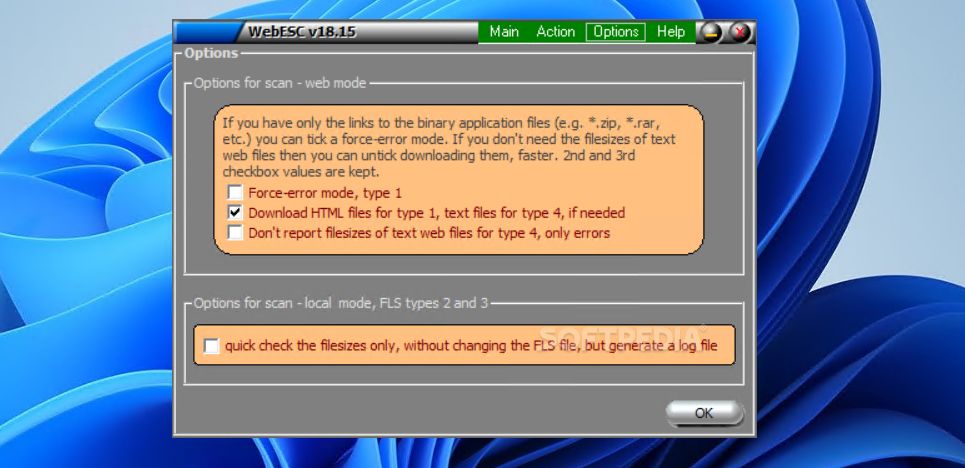
For quicker checks, WebESC can limit its comparison to file size rather than examining other attributes. It can also write scan results to a log instead of creating a new FLS document. Options allow it to flag links that lead to binary applications, such as download files, and to record links whose file sizes are not available. These settings provide ways to handle different kinds of URLs and to keep a record of checks without always producing a new list.
FLS files serve as the saved inventory for recurring verification: they contain the analyzed items and their recorded information, which WebESC updates during subsequent scans. The program overwrites the existing FLS document when it saves updated results, so keeping a separate backup is important if earlier records need to be retained. Typical uses include monitoring frequently visited pages, reviewing a set of download links, and checking local web documents against a previously saved list.
WebESC is freeware for Windows 10 and Windows 11, and the supplied system information also lists Windows 7 and Windows 8. It supports both 32-bit and 64-bit editions of those older Windows releases. The utility focuses on link and file-change checks rather than broader security protection; it can help surface differences for review, but users must assess whether each change is expected.