WinRAR (x64)
WinRAR is a file archiver and archive manager for Windows x64 systems. It creates compressed RAR and ZIP files and opens archives in a broad range ...

WinRAR creates and manages RAR and ZIP archives, and extracts files from formats including 7Z, TAR, GZ, CAB, ISO and BZ2. It offers a graphical interface, a guided wizard and command-line controls. Users can split archives into volumes, protect them with password-based AES encryption and create self-extracting files. The 32-bit edition is trialware for Windows.
| Author: | Rarsoft |
| License: | Trialware |
| Price: | $29.95 |
| Released: | May 15, 2024 |
| File size: | 3.15 MB |
| Downloads: | 800 |
| Keywords: | Rarsoft, file compression tool, x32 software, Rar archiver, ZIP, data compression, zip archive manager, File manager, Rar software, Windows 10 compatible, rar file opener, SFX, file archiver, compression, winrar, extract 7z files, archiver, Unzip, create rar archives, archive, Unrar, winrar download, TAR, create RAR, File archiver, manager, Win RAR, WinRAR |
| Author URL: | https://www.rarlab.com/ |
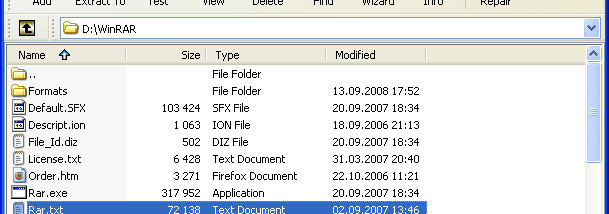


WinRAR is a file archiver and archive manager for creating, opening and organizing compressed files. The 32-bit edition is intended for Windows systems, including Windows 10 and Windows 11. It can be used to package files for storage or sharing, reduce the size of data and unpack archives received by email or downloaded from the internet.
The program creates archives in RAR and ZIP formats and can extract files from a broad range of others, including 7Z, TAR, GZ, CAB, ARJ, LZH, ISO, BZ2 and XZ. To work with an archive, users can browse its contents in the graphical interface and select files to extract, add or remove. A wizard guides basic archiving tasks through a question-and-answer process, while a command-line interface supports workflows that are better suited to scripts or repeatable operations.
Compression settings help tailor archives to different kinds of data. WinRAR can select a suitable method automatically and includes specialized compression for multimedia files, executables and object libraries. Large archives can be divided into volumes, which is useful when files need to be stored across multiple disks or transferred in separate parts. Archives can also be protected with a password; WinRAR supports AES encryption with a 256-bit key for password-protected data.
WinRAR is useful for creating backups, preparing attachments for transfer and managing downloaded packages in a single application. Its extraction support means it can handle many archive formats even when it did not create them. The program also includes options for making self-extracting archives and for attempting to recover damaged archives, helping with distribution or access to files when an archive has errors.
WinRAR is trialware. This 32-bit edition is available for Windows 10 and Windows 11, as well as older Windows releases. Its graphical controls suit everyday file management, and the command-line interface provides an alternative for users who prefer to automate archive operations.