ZOC Terminal
ZOC Terminal is a powerful and versatile terminal emulator ... for SSH, Telnet, Rlogin, and various other protocols, ZOC Terminal provides seamless connectivity to remote systems, enabling ...

ZOC is a Windows terminal emulator and communications client for connecting to Unix and Linux shells, BBS services and IBM mainframes. It supports Telnet, SSH, Rlogin, modem and ISDN connections, with terminal modes such as Linux Xterm, VT, ANSI, TN3270 and TN5250. Host profiles, command history, scrollback, file transfers and REXX scripting support regular administration and legacy-system workflows.
| Author: | EmTec Innovative Software |
| License: | Trialware |
| Price: | $79.99 |
| Released: | Jun 21, 2024 |
| File size: | 6.87 MB |
| Downloads: | 765 |
| Keywords: | Secure Shell, ssh client, ZOC Terminal Emulator, EmTec Innovative Software, Telnet Client, terminal file transfer, emulator, tn3270 emulator, telnet client, Serial Cable Connection, linux terminal access, SSH Client, terminal emulator, ISDN terminal, terminal, linux emulator, ISDN |
| Author URL: | https://www.emtec.com/ |

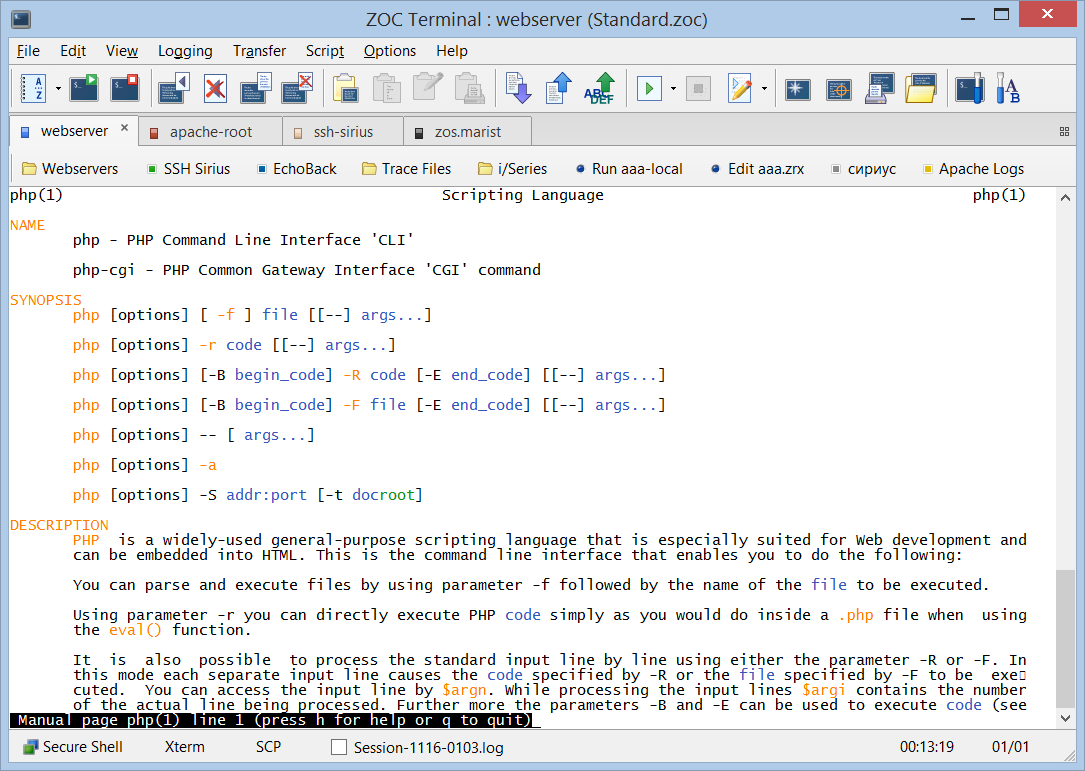


ZOC is a terminal emulator and communications client for Windows, designed for administrators, developers and other users who work with command-line hosts or legacy systems. It connects to Unix and Linux shell accounts, BBS services, IBM mainframes and other character-based systems. Its range of terminal emulations and connection methods lets it serve as a single workspace for different host types rather than a client tied to one environment.
Connections can use Telnet, SSH, Rlogin, serial modems and ISDN. SSH supports public- and private-key authentication and port forwarding, while modem connections can use a serial port or Windows TAPI. For mainframe access, ZOC provides TN3270 and TN5250 emulation. Once connected, users can work in console-style environments such as Linux Xterm, with support for colors, UTF-8 and terminal keyboard behavior, or select other emulations including VT, ANSI, Wyse, TVI, Sun CDE and QNX.
The interface includes a host directory for saving connection settings and login procedures, plus multiple windows for working with more than one session. A command-entry area keeps typed-command history, and scrollback and logging features help review output from earlier in a session. Keyboard mappings, function keys and a customizable button bar can hold frequently used text, scripts, connection entries or shell commands. Character translation and device-level data tracing provide additional control when diagnosing communication issues.
ZOC also supports file transfers using ASCII, Xmodem, Ymodem, Zmodem and Kermit. Its REXX scripting language and automation tools can handle repetitive terminal tasks; recorded login procedures and text-triggered macros or replies can reduce routine typing. DDE support allows the application to operate as a communication server for compatible software. These tools suit workflows such as administering remote Linux machines, accessing older business systems, transferring files through terminal connections and automating repeated host interactions.
ZOC is trialware and is available for Windows 10 and Windows 11. Its mix of modern SSH access, classic terminal protocols and extensive emulation makes it useful where a standard remote shell client cannot cover every host or terminal type. The configurable interface can be adapted to individual systems, while saved host entries and scripts help keep recurring connections and tasks organized.