
Belarc Advisor

Belarc Advisor 13.0.0

A local report for auditing Windows PCs

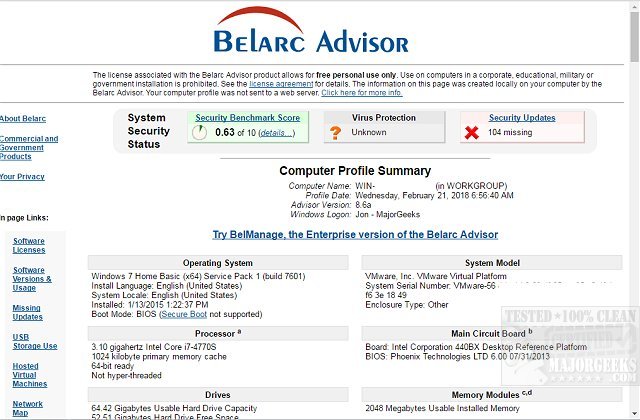
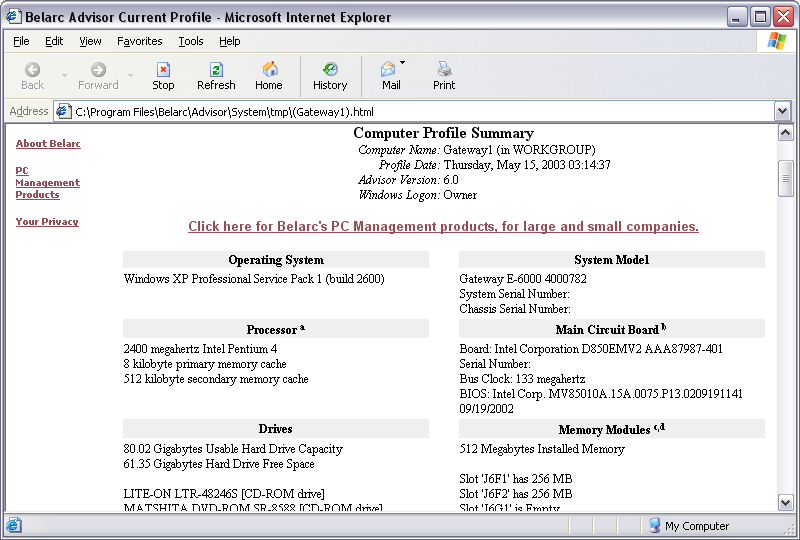
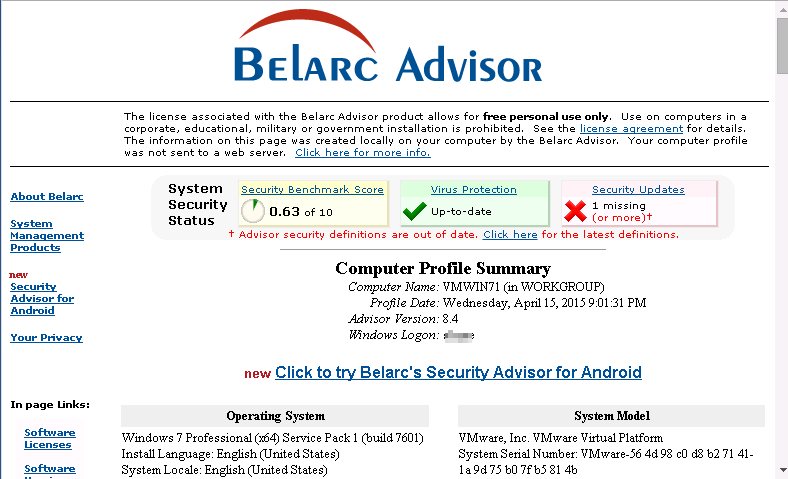
Belarc Advisor scans a Windows PC and creates a browser-based profile of its hardware, installed software, network and security updates. The locally stored report can help users check system specifications, inventory applications and product keys, and identify missing Microsoft hotfixes. A network map shows connected devices, while the report gives home users and small businesses a handy reference for troubleshooting, maintenance and upgrade planning.

Belarc Advisor 13.0.0 details

Author:
License: Freeware
Price: FREE
Released:
File size: 3.20 MB
Downloads: 369
Keywords: network device map, windows system audit, installed hardware list, PC audit tool, Belarc Inc software, Windows 10 compatibility, missing microsoft hotfixes, Advise, x64 system analysis, PC profile, show installed software, software inventory tool, component, Comprehensive hardware information, BelarcAdvisor, pc hardware report, Belarc Advisor review, Advisor, find software product keys
Author URL: http://www.belarc.com/
Belarc Advisor screenshot
Belarc AdvisorSystem MaintenanceWindows 11, Windows Server 2022, Windows Server 2019, Windows Server 2016, Windows 10 32/64 bit, Windows Server 2012 R2, Windows Server 2012, Windows 2008 R2, Windows 2008 32/64 bit, Windows 2003, Windows 8 32/64 bit, Windows 7 32/64 bit, Windows Vista

User Rating: 0 (0 votes)

Belarc Advisor Awards

Windows 10 download editor's pick

Belarc Advisor for Windows 10 - Full description

Belarc Advisor is a freeware system-auditing utility for Windows home users, technicians and small businesses. It scans a computer and builds a profile of its hardware and installed software, giving users a single place to review configuration details without manually checking each component or application. The report is presented in a web browser and saved locally on the computer.

The hardware inventory covers components such as the processor, memory and storage devices. This information can help when diagnosing a problem, checking a machine's specifications before an upgrade, or documenting a computer for future reference. The software inventory lists installed applications and can include their product keys, which may be useful when reinstalling software or preparing to replace a system.

Belarc Advisor also reports on security-related details, including missing Microsoft hotfixes. Reviewing these findings can help identify updates that may need attention. Its network map shows devices connected to the local network, providing a way to check which equipment is present and spot unfamiliar devices. These features make the scan useful for routine checks as well as investigating a particular configuration or security concern.

The generated report organizes system, software, network and update information into sections that can be viewed in a browser. Because the report is stored locally and system data is not transmitted over the internet, it can be consulted on the computer where the scan was run. Users should treat the report as sensitive, since it can contain software keys and details about the system and network.

Belarc Advisor is intended for auditing individual computers rather than managing large enterprise fleets; organizations with multiple systems may need a separate management solution. It is available for Windows 10 and Windows 11, as well as a range of older Windows desktop and server editions. The utility is free to use, making it a practical option for creating a local hardware and software record or checking a PC before maintenance, troubleshooting or an upgrade.

Belarc Advisor for Windows 10 - Post your review