Capivara
Capivara is a two-panel file manager for working with files on a computer and on FTP or SFTP servers. Its side-by-side layout makes it useful for ...

Capivara x64 is a two-panel file manager for handling local folders and files on FTP or SFTP servers. Its synchronization tools compare timestamps or SHA-1 hashes to identify differences between locations. A preview shows which files will be copied or deleted before synchronization runs, helping users review changes before applying them.
| Author: | Sascha Hunold |
| License: | Freeware |
| Price: | FREE |
| Released: | Oct 7, 2015 |
| File size: | 4.80 MB |
| Downloads: | 398 |
| Keywords: | File Synchronization, file synchronization tool, x64 file manager, Java-based Software, ftp folder sync, sftp client, x64 manager, two panel file manager, User-friendly Interface, x64 ftp synchronization, Advanced File Management, ftp file manager, x64 FTP, sha-1 file comparison, High-Speed Performance, Sascha Hunold Development, x64 ftp client, x64 synchronization |
| Author URL: | http://capivara.sourceforge.net/ |
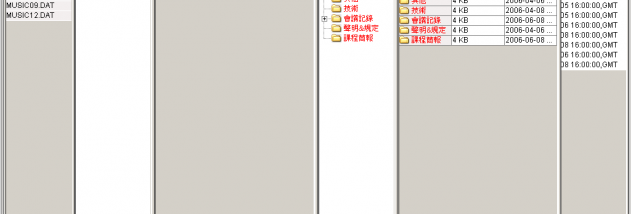

Capivara x64 is a two-panel file manager for users who need to work with local files and transfer or synchronize files with remote servers. Its side-by-side layout makes it easier to compare directory contents and move files between locations. FTP and SFTP support lets it connect to servers for browsing and file transfers, while synchronization tools help keep selected directories aligned.
The synchronization feature can compare files using timestamps or SHA-1 hash values. Timestamp comparison is useful when deciding whether a file has changed based on its recorded modification time; hash comparison checks file contents, helping identify differences even when timestamps do not provide enough information. Before synchronization runs, a preview shows which files are scheduled to be copied or deleted. This gives users a chance to review the planned changes before they affect either location.
The two-panel interface supports a practical workflow: one side can display a local folder while the other shows a remote directory, making transfers and comparisons easier to follow. FTP and SFTP connections provide access to server files without requiring a separate transfer utility. Synchronization previews are particularly useful when updating website files, maintaining remote backups, or reconciling project folders, where an unintended deletion or overwrite could disrupt work.
Capivara x64 is freeware and is intended for 64-bit Windows systems. Its listed operating system support covers Windows Vista, Windows 7, Windows 8, and Windows 10 in 64-bit editions. The program combines everyday file management with server access and controlled folder synchronization, making it suited to users who want these tasks in one application.