Capivara x64
Capivara x64 is a two-panel file manager for users who need to work with local files and transfer or synchronize files with remote servers. Its ...

Capivara is a two-panel file manager for working with local files and FTP or SFTP servers. It can compare locations by file timestamps or SHA-1 hashes to identify differences for synchronization. A preview shows which files will be copied or deleted, helping users review planned changes before syncing folders. It is freeware.
| Author: | Sascha Hunold |
| License: | Freeware |
| Price: | FREE |
| Released: | Oct 7, 2015 |
| File size: | 4.90 MB |
| Downloads: | 302 |
| Keywords: | x64 architecture, FTP, Windows 10 compatible, ftp synchronization, Sascha Hunold, ftp client, two panel file manager, Capivara software, manager, synchronization, file manager, file synchronization, ftp file manager, file comparison tool, sftp client, sha-1 file comparison, open-source application |
| Author URL: | http://capivara.sourceforge.net/ |
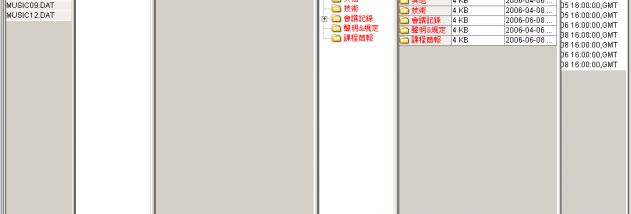

Capivara is a two-panel file manager for working with files on a computer and on FTP or SFTP servers. Its side-by-side layout makes it useful for people who need to inspect two file locations together, particularly when transferring or synchronizing files between a local folder and a server. Rather than focusing only on browsing, it includes comparison and synchronization tools to help identify differences before changes are made.
The two panels provide separate views of file locations, allowing users to compare their contents and work across them. FTP and SFTP support lets Capivara connect to servers using either protocol, making it suitable for routine file transfers as well as server-side file management. The panel-based approach keeps both locations visible during a task, so users can check which files are present on each side without repeatedly switching between separate windows.
For synchronization, Capivara can compare files by their timestamps or by SHA-1 hash values. Timestamp comparison is useful when deciding whether a file has changed based on its recorded modification time. SHA-1 comparison checks file contents through their hashes, offering another way to detect differences when dates alone are not a sufficient basis for comparison. These methods help determine which files need to be copied or otherwise brought into sync.
Synchronization includes a preview that shows which files are due to be copied or deleted. Reviewing these planned changes before proceeding helps users understand the effect of a sync operation and catch unintended removals or transfers. This is especially useful when keeping a working folder and a server directory aligned, where an incorrect deletion or overwrite could affect files beyond the immediate session.
Capivara is freeware and is intended for file management and FTP/SFTP synchronization. The supplied platform information lists Windows XP, Vista, 7, 8 and 10; it does not establish support for Windows 11. Its focused feature set suits users who need a two-panel interface, server connections and a way to review synchronization changes, rather than a general-purpose suite of file-management tools.