Gimp for x64 Windows
GIMP is a free, open-source image editor for Windows x64, used for photo retouching, digital painting and creating or editing graphics. Its layered workflow and range of selection, ...

DJV is an open-source video review and editing application for VFX artists, editors, and animators who need frame-level inspection. Playback and frame display controls help locate issues, while multi-channel color adjustments and multi-layer support aid review and correction. It also reports media, rendering, and performance details, with configurable compression, thread counts, export types, and interface settings.
| Author: | Darby Johnston |
| License: | Open Source |
| Price: | FREE |
| Released: | Oct 16, 2026 |
| File size: | 56.60 MB |
| Downloads: | 307 |
| Keywords: | video review software, media playback analysis, Sound, video playback, professional tools, VFX Reviewer, VFX, cross-platform, Video, Darby Johnston, Review Edit, Edit, download DJV, DJV, Video Editing, open source video editor, open source, DJV free download, editing, open-source, vfx review tool, customizable interface, software, video color adjustment, frame accurate video player |
| Author URL: | https://darbyjohnston.github.io/DJV/ |


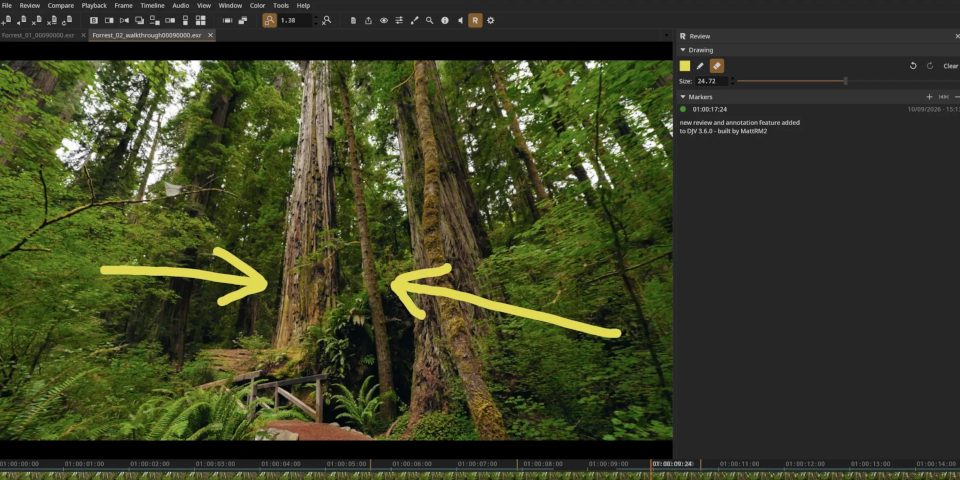
DJV is an open-source video review and editing application for VFX artists, video editors, and animators who need to inspect footage at frame level. Its playback and analysis tools help identify visual issues and assess how media behaves during review. Rather than focusing on a broad, all-purpose editing workflow, DJV emphasizes precise playback, correction, and technical inspection of video content.
Playback controls and frame display options let users examine footage closely and locate frames that need attention. Multi-channel color adjustments support analysis and correction of image channels, while playback settings can be changed to suit different review tasks. Multi-layer support provides a way to work with layered content, and compression settings can be configured when preparing output. These controls are useful when reviewing visual effects shots, checking animation, or making targeted changes to video material.
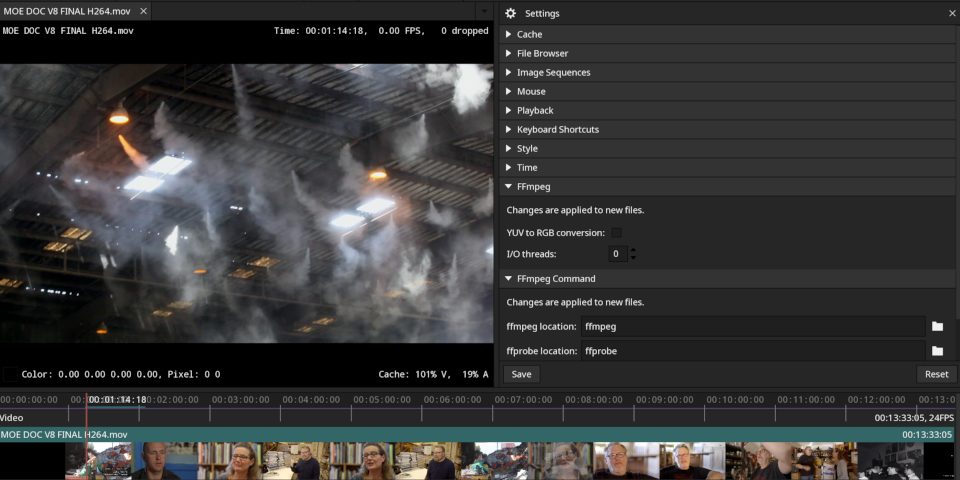
DJV also includes tools for inspecting media, rendering, and application performance. Its debugging display can report frame rate and system time, along with counts for objects and interface widgets. Cache information covers generated items such as icons, thumbnails, and video data. Technical reports include details such as texture atlases, dynamic texture counts, and the size of vertex buffer objects, giving technically minded users additional context while diagnosing playback or rendering behavior.
The interface and processing workflow are configurable: users can set input and output thread counts, choose export types, adjust compression, and customize interface styling and display options. This range of settings makes the program relevant to production tasks where playback behavior, image presentation, and system resource use need closer examination. It can be used for shot review, checking edits and animation, examining color channels, and investigating technical issues in media or rendering.
DJV is free and open source. It is available for 64-bit editions of Windows 7, 8, 10, and 11. Its many controls are aimed at users comfortable with technical video and visual-effects workflows; the available configuration can also require time to tailor to a particular project. The application is best suited to detailed review and inspection rather than casual video playback.