HostsMan Portable for Windows 10 - Full description
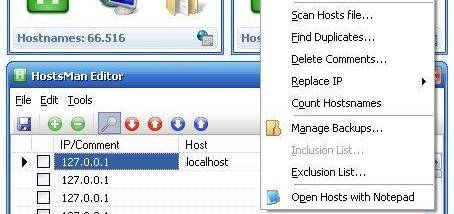
HostsMan Portable is a Windows utility for managing the system HOSTS file, the local text file that can associate domain names with IP addresses before a browser or other application contacts a network service. It is intended for users who want to inspect or edit those mappings, temporarily disable them, or maintain the file using online HOSTS lists. Its controls cover common maintenance tasks without requiring users to work exclusively in a text editor, while manual editing remains available for precise changes.
The utility can enable or disable the HOSTS file, which is useful when troubleshooting a connection or checking whether a local entry is affecting access to a site. For updates, HostsMan can retrieve online HOSTS files containing domain entries and use them to refresh the local file. Depending on the list, entries may redirect selected domains or prevent them from resolving normally, a technique often used to block unwanted destinations. The contents of a list determine what it affects, so users should review sources and entries before applying changes.
HostsMan also provides direct editing of the file, allowing users familiar with HOSTS syntax to add, remove, or adjust mappings themselves. Since an incorrect entry can disrupt access to a website or service, keeping a backup before making changes provides a way to restore the previous contents. The program's update and editing functions serve different workflows: online lists offer a ready-made set of mappings, while manual changes are suited to specific local requirements. Users new to HOSTS files can consult the accompanying documentation before editing.
Typical uses include maintaining domain lists, testing how a computer resolves selected names, and diagnosing unexpected redirects or connection failures. Changes apply through Windows name resolution and can affect applications beyond a web browser. HostsMan Portable is freeware and is intended for Windows systems; modifying the system HOSTS file may require administrator permission. As with any imported list, entries should be checked for relevance, because blocking a domain can interfere with sites or services that depend on it.